


The Holiday Season is considered the busiest time of the year, in terms of both sales and revenue inflow. Instead of celebrating the festive profits, store owners are often seen fighting the fierce competition. From BFCM sales craziness to Christmas offers, shoppers are ready to spend more than ever. But here’s the catch: the competition is real, and every store owner is fighting for attention. To truly stand out, you need more than just running festive sales. You need the right WooCommerce holiday plugins to streamline operations, manage returns & exchanges, and optimize your store for a better shopping experience for customers.
Every click, purchase, upsell offer, and smooth return experience counts toward turning a seasonal visitor into a loyal customer.
Quick Facts, Under 30 seconds…
- WooCommerce holiday plugins for product recommendations, complementary product suggestions, and bundle offers to increase average order value (AOV) during the season.
- 47% of seasonal shoppers currently use gift cards, while another 36% are considering using them, making digital gift cards a valuable festive shopping option.
- Over 80% of consumers say loyalty program membership influences their purchasing decisions. Reward points, referral bonuses, and exclusive member offers can encourage repeat purchases.
- Online retail returns account for a significant share of eCommerce sales. Simplifying return requests, automating refunds, and offering easy exchanges can help retailers manage reverse logistics costs.
- 58% of shoppers currently use digital wallets for online payments. Offering multiple payment methods, including digital wallets and BNPL options, can create a faster and more convenient checkout experience.
- 56% of consumers consider sales and discounts when choosing where to shop. Merchants can use coupon codes, BOGO deals, and personalized discounts to attract price-conscious holiday shoppers.
- AI-powered personalization and CRM WooCommerce holiday plugins can help merchants analyze purchase histories, customer preferences, and shopping behavior to create targeted email and SMS campaigns, personalized recommendations, and timely festive offers.
Good News? In this guide, we will walk you through the best WooCommerce holiday plugins. We cover everything from running upsell offers to gift cards to loyalty rewards, digital wallets, and easy returns for you to stay on top of your game.
In This Blog, We Will Talk About…
- Why WooCommerce Holiday Plugins Are Your Secret Weapon for BFCM & Christmas?
- Upsell Funnel Builder For WooCommerce – Boost AOV with Smart Upsells
- Gift Cards for WooCommerce Pro – Make Gifting Effortless
- Points and Rewards for WooCommerce Pro – Turn Seasonal Buyers into Loyal Customers
- RMA Return, Refund & Exchange For WooCommerce Pro – Simplify Returns and Exchanges
- Coupon Referral Program for WooCommerce – Amplify Reach Through Referrals & Coupons
- Track Orders for WooCommerce Pro – Enhance Transparency with Order Tracking
- Power Your Profits WooCommerce Holiday Plugins
- Frequently Asked Questions (FAQs)
(Jump to the section that interests you the most!)
Why WooCommerce Holiday Plugins Are Your Secret Weapon for BFCM & Christmas?
The last quarter of this year is packed with festivals and opportunities to win back lost customers and increase revenue. But with opportunities comes neck-to-neck competition; every store owner has started prepping for the upcoming festive season.
How to stay ahead of your competitor? Incorporate WooCommerce holiday plugins.
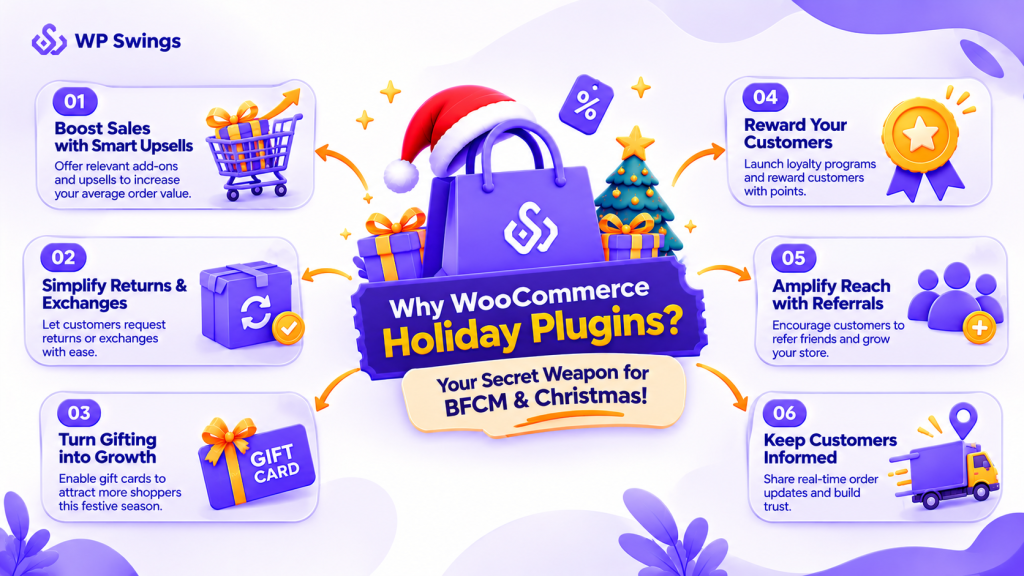
These holiday plugins don’t just add features to your online store; they identify the difficulties and provide solutions to optimize your customers’ experience. In short, they help you maximize sales while keeping the customer experience stress-free during the busiest shopping season of the year.
Now, let’s look at the Top 6 WooCommerce plugins that turn seasonal shoppers into loyal customers.
1. Upsell Funnel Builder For WooCommerce – Boost AOV with Smart Upsells
When the traffic inflow on your WooCommerce store increases during the festive season, especially before or during BFCM & Christmas sales, every incremental sale counts. The end goal of store owners is to squeeze more value from each customer who visits their store. How? Implementation of holiday plugins – Upsell Funnel Builder For WooCommerce!
With the correct implementation of Upsell Funnel Builder as a holiday plugins, users can access features like offering compelling add-ons, post-purchase offers, cross-sells, and order bump deals without disrupting the customer’s purchase flow.
“Cart abandonment rates during the festive season are like a mountain that nobody can climb, with averages often around 70-80%. Upsell Funnel Builder solves this challenge as well.”
Utilizing the compatibility with the WooCommerce Cart Abandonment Recover plugin to create bump offers targeting the customers who have abandoned their carts. These bump offers will showcase offers related to the products that they have abandoned, which increases the chances of converting the user into a customer.
What are some other features of holiday plugins that the store owners can benefit from this festive season? Let’s unravel together…
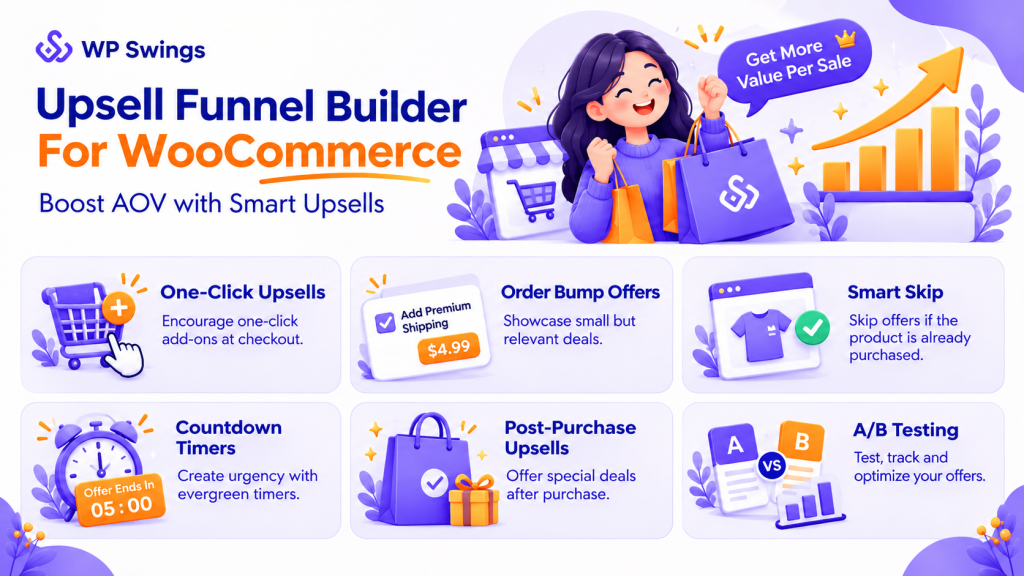
- One-Click Upsells: Encourage shoppers to add complementary products at checkout with a single click. For example, offer a gift-wrapping kit with a Christmas gift, a festive hamper with a holiday purchase, or a New Year party accessory with a celebration outfits.
- Smart Skip: Utilize the smart skip feature, which skips the upsell and bump offer if the user has already purchased the product. It ensures that buyers only see the offer if they haven’t already bought the product directly or through an upsell. For example, if your customer has already purchased the Christmas lights, show gift-wrapping instead.
- Order Bump Offers: Showcase small but relevant deals on the checkout page to slightly nudge shoppers to make the upsell purchase. For Example, during BFCM, promote “Add Premium Shipping for $4.99” as a simple checkbox.
- Countdown Timers: Incorporate an evergreen timer on the WooCommerce checkout page, which automatically resumes whenever the page is refreshed. For example, get 20% off matching gloves; offer ends in 5 minutes.
- Post-Purchase Upsells: Reward customers using holiday plugins. How? After they’ve made a successful purchase with you, either by giving them a discount coupon or by offering a post-purchase upsell offer. For example, after purchasing a Christmas sweater, suggest a Holiday Beanie & Scarf Combo.
- A/B Testing: Test which bump offers and upsell offers are working and which ones need improvement. Track important stats using holiday plugins, like how many times the offer was triggered, how many times it succeeded, how many offers were viewed, accepted, or rejected, and the total sales generated. For example, Test Buy 1 Get 1 on Accessories VS Flat 30% Off Accessories during BFCM.
Upsell Funnel Builder is easy to INSTALL!
2. Gift Cards For WooCommerce Pro – Make Gifting Effortless
The holiday season is all about giving, and this is exactly what one of the best holiday plugins does best. Gift Card For WooCommerce pro makes gifting stress-free and effortless. Utilizing the plugin, store owners make gift-giving simple while helping their store boost sales, expand reach, and build goodwill that encourages repeat purchases.
Whether it’s Halloween treats, BFCM deals, or Christmas shopping, these holiday plugins ensure your store is ready for the festive rush.
What are some other features that the store owners can benefit from this festive season? Let’s unravel together…
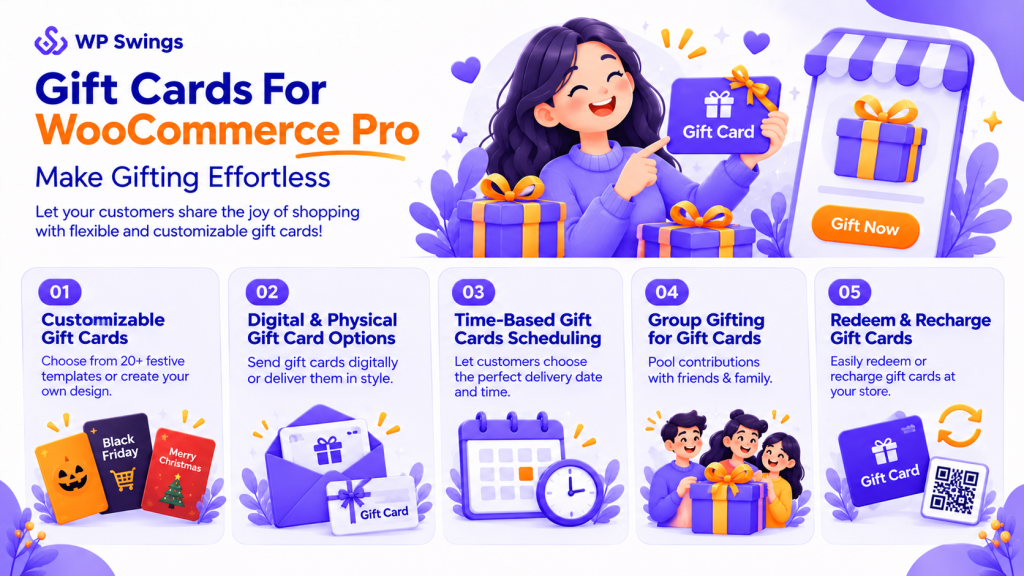
- Customizable Gift Cards: Our Digital Gift Cards WordPress holiday plugin has 20+ festive gift card templates, which you can customize or import your custom WooCommerce gift card templates. For example, store owners can create Halloween, Black Friday, and Christmas-themed designs to instantly appeal to seasonal shoppers.
- Digital & Physical Gift Card Options: Sell physical gift cards and digital gift cards, with digital coupons shareable via email, WhatsApp, SMS, and more. For example, store owners can offer instant digital cards for last-minute BFCM shoppers, or physical cards as Christmas stocking stuffers.
- Time-Based Gift Cards Scheduling: With our WordPress Gift Cards plugin, you can schedule gift card delivery with full flexibility. Customers can choose the exact date, hour, and even the minute to send a surprise to their loved ones using the holiday plugins. For example, let customers pre-set delivery dates so gift cards arrive right on Christmas Eve or New Year’s Day.
- Group Gifting for Gift Cards: Use collective gifting by giving customers the option to create group gift cards; they can invite friends and family via email and pool contributions easily. For example, encourage families, friends, or colleagues to contribute together on a single card for big holiday presents.
- Redeem & Recharge Gift Cards WooCommerce: This is a functionality specially designed for those merchants who are seeking easy redeeming/recharging of gift card vouchers for their offline businesses. Acting as a Point of Sale (POS) system, it enables you to recharge your customers’ gift cards easily and redeem them using the gifting portal provided by WP Swings. There, you can scan QR and Bar Codes to access the card details, and you can also view and export the complete redemption and recharge report available on the portal.
Get The WooCommerce Gift Cards Plugin Now!
3. Points And Rewards for WooCommerce Pro – Turn Seasonal Buyers into Loyal Customers
Consider the festive season to be a golden opportunity to convert seasonal and lost customers into returning and loyal ones. Points and Rewards for WooCommerce is among the best holiday plugins.
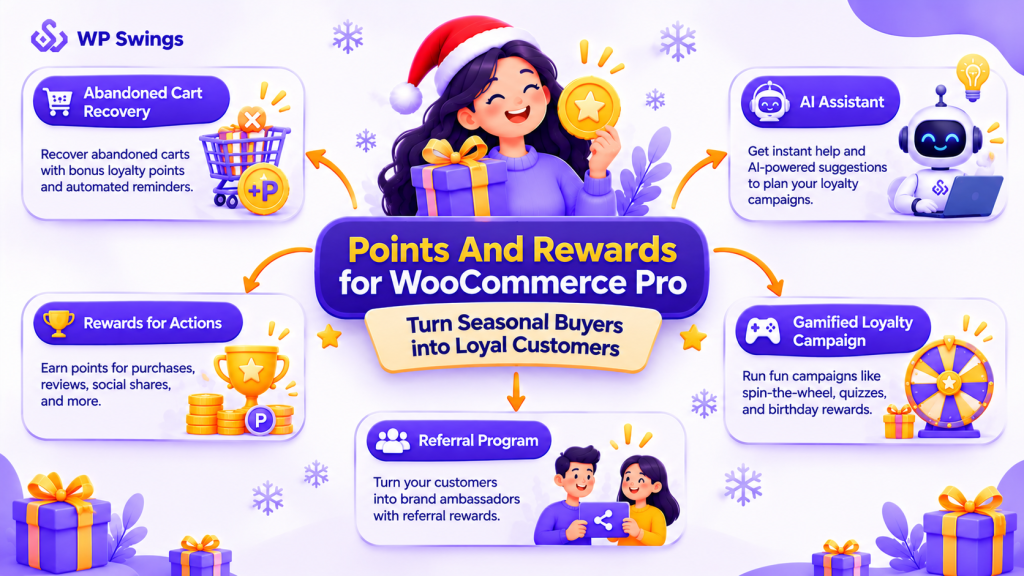
Points and Rewards for WooCommerce is among the best WooCommerce holiday plugins. The holiday plugins help you create engaging loyalty programs that reward customers for multiple actions, incentivize repeat purchases, and drive festive sales.
What are some other features that store owners can benefit from this festive season? Let’s unravel together…
- Abandoned Cart Recovery: Recover abandoned carts during BFCM and Christmas sales with bonus loyalty points. Send automated reminder emails to logged-in customers who leave items in their carts without completing their purchases. Offer extra reward points as a limited-time incentive to encourage shoppers to complete their orders before festive deals expire.
- AI Assistant: Simplify your BFCM and Christmas loyalty campaigns with AI-powered guidance. Merchants can use the in-house AI assistant to get quick answers about the Points and Rewards plugin (one of the best WooCommerce holiday plugins), explore ways to optimize their festive loyalty programs, and configure settings with ease. The assistant can also suggest changes to plugin settings, allowing store owners to review and apply them to prepare reward campaigns, bonus point offers, and holiday promotions. Simply connect your preferred AI provider to get started.
- Rewards for Actions: Customers earn points not only for purchases but also for actions like signing up, writing product reviews, sharing products on social media, and referring friends. Points are accumulated in their account and can later be redeemed for discounts, rewards, or coupons. For example, run campaigns like earn double points for every holiday purchase in December.
- Gamified Loyalty Campaign: The WooCommerce points and rewards plugin enables store owners to run engaging, gamified campaigns, such as gamified spin-the-wheel, referral, quiz, birthday rewards, and comment-based points, all within customizable pop-ups. Options include showcasing earned points, referral counts, setting dynamic images for the pop-up, or simply choosing from 5+ predefined templates for upcoming festivals, and selecting specific display pages to make it fun, engagement-targeted, and reward-driven.
- Referral Program: This festive season, make your loyal customers your in-house brand ambassadors by offering WooCommerce points and rewards to referrers for every unique referral. The admin just needs to enable the referral Woo points option and then enter the number of Woo points and the minimum referrals required.
Know More About Points And Rewards For WooCommerce!
Check Out The Demo and Documentation!
4. RMA Return, Refund & Exchange For WooCommerce Pro – Simplify Returns and Exchanges
If you want to boost sales and profits, it is important to keep your customers happy at all times. How will you achieve this? By making the shopping experience more efficient. This is why the implementation of holiday plugins becomes so essential.
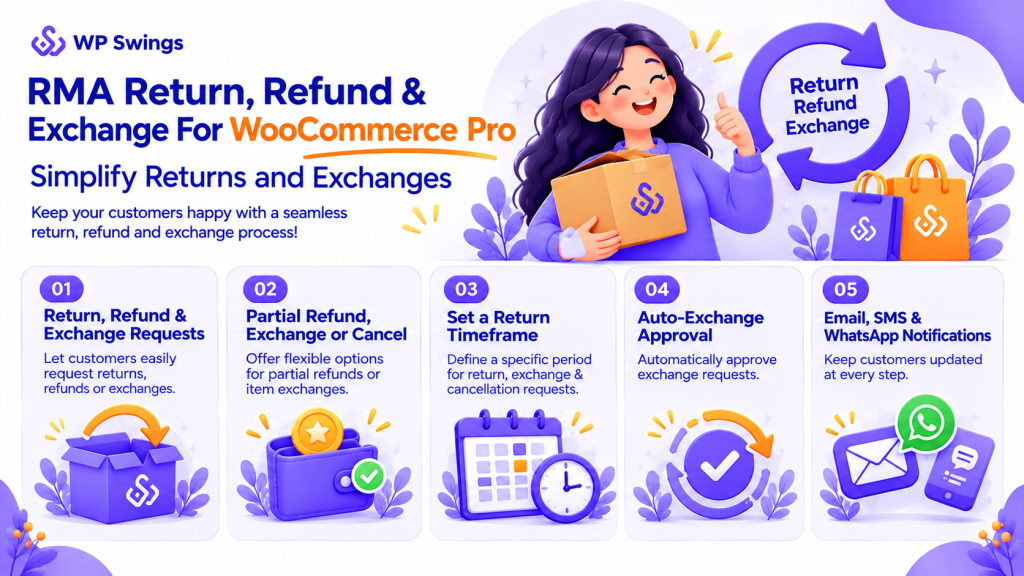
RMA Return Refund & Exchange For WooCommerce is one such plugin. As big festivals like BFCM & Christmas are approaching, so are the volumes of exchange and returns. Instead of frustrating your customers, you can win their trust and purchases by providing them with a smooth return, exchange, and refund process.
The WooCommerce RMA plugin equips your store with flexible features that make post-purchase management smooth and stress-free.
What are some other features that the store owners can benefit from this festive season? Let’s unravel together…
- Return, Refund & Exchange Requests: Allow customers to easily manage returns or exchanges, and refunds. For example, help your Halloween shoppers return the wrong size or any duplicate orders without hassle.
- Partial Refund, Exchange, or Cancel: The flexible refund and return order feature in the WooCommerce RMA plugin makes managing partial refunds, exchanges, or cancellations effortless. Store managers can enable customers to place refund requests for items without affecting the entire purchase, ensuring a seamless and user-friendly experience. For example, use this feature for BFCM bundles where customers may want to swap just one item.
- Initiate Return, Exchange & Cancellation For A Specific Period: The WooCommerce Returns Plugin allows the admin complete flexibility. The admin can set a specific time frame for all refund, exchange, and cancellation requests. The admin is free to pick any time slot. During this period, customers will have access to these respective request options. For example, store owners can extend return windows for Christmas gifts, while keeping shorter limits for Black Friday flash sales.
- Auto-Exchange Approval: Utilizing this functionality of the WooCommerce return and refund plugin, admins can allow the exchange request made by customers to be automatically accepted. For example, during the festive season, when the exchange volumes increase, this functionality of the holiday plugins helps to speed up the process.
- Email, SMS & WhatsApp Notifications: This festive season, utilize the holiday plugins to keep the customers aware of the status of their return and exchange requests.
Need a Fully-Fledged Reverse Logistics Manager For Your Store?
5. Coupon Referral Program for WooCommerce – Amplify Reach Through Referrals & Coupons
This festive season, make the most of WooCommerce holiday plugins. Coupon Referral Program seamlessly integrates referral programs into your WooCommerce store. This is a powerful tool to boost customer acquisition, engagement, and revenue. Simply reward customers for sharing coupons and links, encouraging them to bring in new visitors to your website.
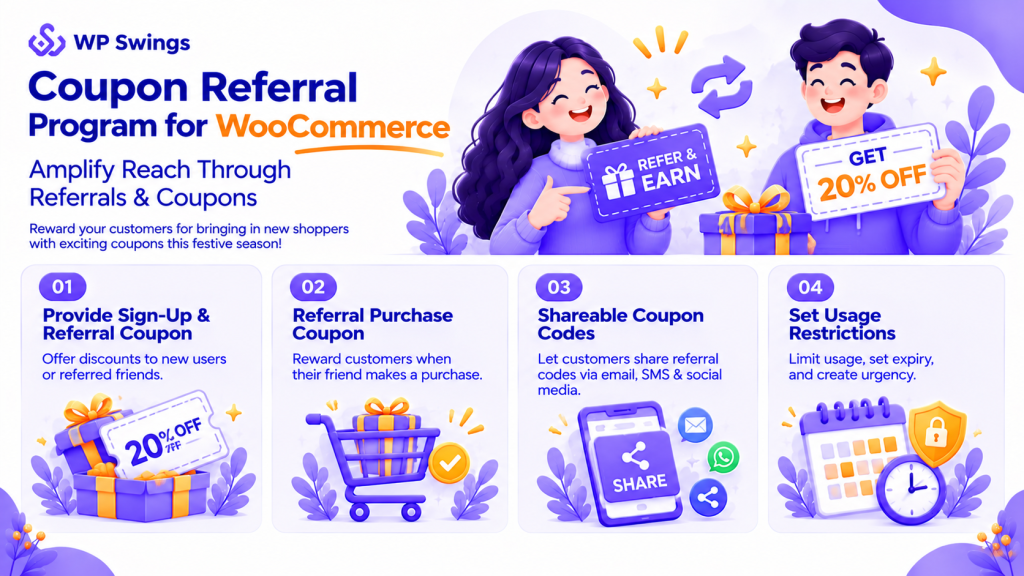
Reward your customers for bringing in new customers while running festive promotions. This is a powerful way to extend your reach without overspending on advertisements.
What are some other features that the store owners can benefit from this festive season? Let’s unravel together…
- Provide Sign-Up & Referral Coupons: Offer sign-up discounts to all new users or exclusively to referred users. You can also set criteria for earning these discounts: referrers earn coupons only if their friends sign up. For example, use holiday plugins during BFCM by offering “Invite a friend, and both get 20% off holiday deals.
- Referral Purchase Coupon: Offer a coupon to customers when their friend completes their purchase. During the Christmas gift-giving season, encourage customers to share their referral links with family & friends buying gifts.
- Shareable Coupon Codes: Store owners can create referral codes and links using the affiliate coupon holiday plugins, which customers can share easily. Customers can share codes via email, text messages, and social media.
- Create A Restriction on Coupon Usage: Individual use of discount coupons can be initiated, which means the same coupon can’t be used in conjunction with other coupons. Moreover, the number of times the same coupon can be used can also be fixed. For example, during BFCM, set a limited-time expiry to create urgency (“Valid till BFCM only!”).
Maximize Customer Loyalty With the Coupon Referral Program
6. Track Orders for WooCommerce Pro – Enhance Transparency With Order Tracking
During the festive season, customers expect timely updates and transparency in the delivery process. How do you achieve this? Holiday Plugins!!! Add the Track Orders for WooCommerce plugin to your store to track orders from purchase to delivery in a simple way.
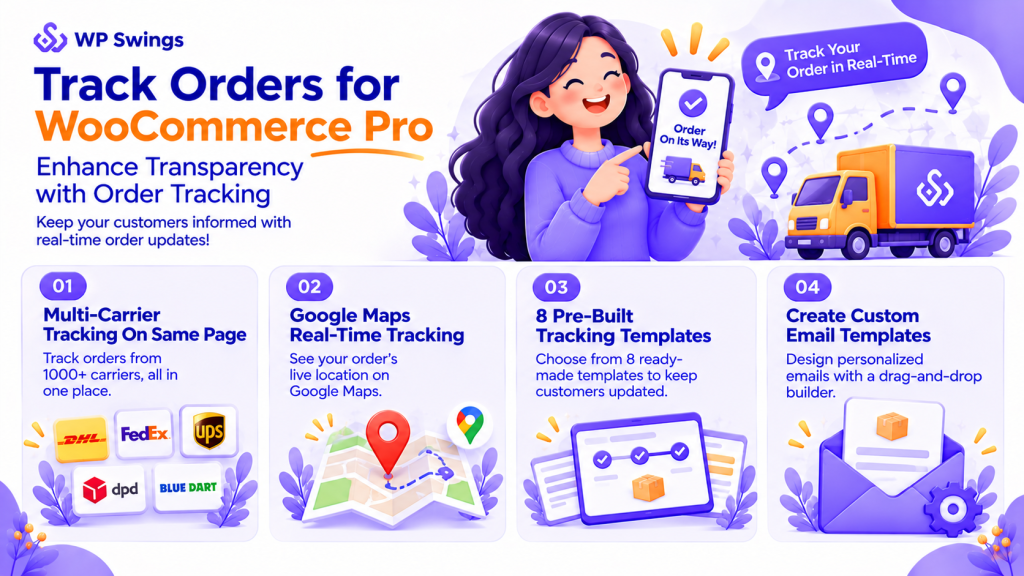
But does it work with different shipping services? Yes, it works with multiple shipping services you need and adjusts to your unique process, saving you effort and time. Customers love knowing where their order is with real-time updates, keeping them happy and coming back.
What are some other features that the store owners can benefit from this festive season? Let’s unravel together…
- Multi-Carrier Tracking on the Same Page: Offer on-page tracking for more than 1000 carriers. Instead of being taken to an external (Carrier) site, customers can check the real-time status of their orders right on your store by simply entering their tracking ID. For example, you can ensure Christmas orders shipped via different carriers are all trackable from the same system.
- Google Maps Real-Time Tracking: The customers can track their orders in real time, and they can see their orders moving along the delivery route, powered by Google Maps integration.
- Eight Pre-Built Order Tracking Templates: The WooCommerce Order Tracking plugin offers 8 fun, ready-made templates to keep customers updated. These make it easy to share statuses like processing, on-hold, or delivered in a clear, engaging way.
- Create Custom Email Templates: With one of the best holiday plugins, you can easily create custom email templates using a simple drag-and-drop builder. Choose from various components like header, footer, custom HTML, and more. Arrange them in any order you prefer, save the design, and send it to your customers.
Track Orders For WooCommerce Plugin
Power Your Profits WooCommerce Holiday Plugins
The festive season is the perfect time to turn seasonal shoppers into loyal and returning customers. With our WooCommerce holiday plugins—from gift cards to points and rewards, upsell funnel builder, RMA Return Refund, and Exchange, and order tracking, you can create a shopping experience like never before, drive higher profits, and keep customers coming back long after the festivities are over.
How To Boost Engagement, Maximize Revenue, and Delight Your Shoppers?
- Run holiday-specific gamified campaigns with ease
- Reward shoppers for purchases, referrals, and reviews
- Provide flexible and customizable gifting options with digital and physical gift cards
- Offer transparency with real-time order tracking, and
- Make the return and exchange process simple.
This festive season, don’t hesitate to power your WooCommerce and online store with holiday plugins that are designed to increase profits, improve customer shopping experience, and make every shopper a fan.
Discover Jaw-Dropping Deals & Exclusive Offers You Won’t Want To Miss!!!
Look Out for Offers On All Your Favorite Plugins!!!
Frequently Asked Questions (FAQs)
1. Is there any free plugin in WordPress?
To answer your question, yes, there are many free plugins on WordPress. Ranging from holiday plugins to transactional or educational plugins. As a store owner, you just have to navigate to the search box in WordPress and type your requirements.
2. What is a Must-Use Plugin in WordPress?
Must-use plugins are a type of WordPress plugin that remains permanently enabled, i.e., cannot be deactivated from the admin dashboard. MU plugins are placed in the wp-content/mu-plugins directory, which WordPress automatically loads to scan.
3. Which is the best free booking plugin for WordPress?
The best free booking plugin for WordPress is Bookings for WooCommerce. With our WordPress plugin, you can start scheduling appointments for your customers easily. Set bookings people (adults, kids, and oldies), manage your bookings with ease by utilizing the listing calendar, and regulating the booking durations.
4. What is the best free WordPress Membership Plugin?
Membership for WooCommerce is the best free WordPress membership plugin used for creating an exclusive, members-only section in your eCommerce store, helping you generate recurring revenue through membership plans.
About the Author: Muskaan Sabarwal