

Salesforce CRM Integration for WooCommerce

Salesforce CRM integration is popular amongst marketers because of its exceptional functionalities such as contact and task management, customer engagement, collaboration tools, workflow creation, opportunity tracking, intuitive analytics reports, and mobile-ready dashboards. Salesforce integration WordPress can be an easy alternative to manually tracking data. CRM can do everything from data management to tracking and visualizing the impacts.
 Real-Time Syncing
 Advanced Security
 Wipe Data Option
 Automate Routine Tasks
 Conditional Filtering







Quick information
- Last Update: Sept 28, 2026
- Compatible up to: WP 7.1.x, WC 11.1.x
- Minimum PHP version: 7.4 or Higher
Overview
With Salesforce CRM Integration, you can sync the contacts and tasks, engage customers, use collaboration tools, create workflows, track opportunities, create intuitive analytics reports, create mobile-ready dashboards, and much more…
-
New
 Multi-Currency Support
With multi-currency support, you are empowered by multi-currency settings in Salesforce. Once you have successfully enabled it, you will see a new field regarding currency in the Product2 Feed and Pricebook Feed.
-
Associate WooCommerce Object Fields With Salesforce Modules
This feature helps you map WooCommerce object fields with your Salesforce CRM account’s modules using association rules. These association rules are called feeds.
-
Conditional Filter In Feeds
With the WooCommerce Salesforce CRM plugin, you can now make use of the conditional filters, including the “OR” and “AND” filters, when customizing feeds to sync data at your convenience.
-
Create Custom PriceBooks
This feature of our WooCommerce Salesforce integration plugin allows you to create custom PriceBooks over your CRM. Moreover, it also allows you to map your products into PriceBook using PriceBook Entry.
-
Create Opportunities From Orders
Create opportunities based on Salesforce CRM modules based on the WooCommerce orders synced over the CRM. The opportunity feeds track the customer data in sync and create the opportunity using order ID, order status, etc.
-
Date Range For Syncing Data
This option is to select a particular date range while bulk and one-click syncing the data. It is important to note that this date range functionality will not work while syncing the data products and users.
 Multi-Currency Support
 Associate WooCommerce Object Fields With Salesforce Modules
 Conditional Filter In Feeds
 Create Custom PriceBooks
 Create Opportunities From Orders
 Date Range For Syncing Data
Features
-
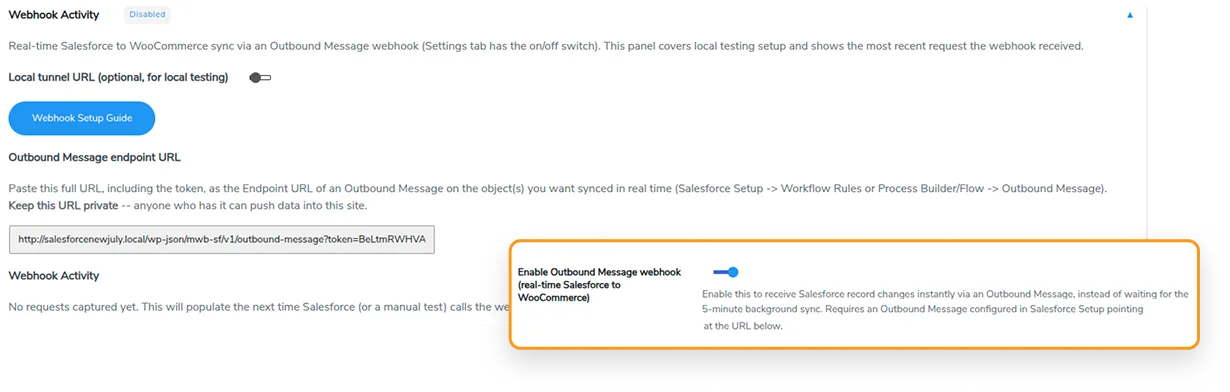
Instant Salesforce-to-WooCommerce Sync
Merchants can now receive Salesforce record changes in WooCommerce in real time using the Salesforce-to-WooCommerce Webhook Receiver and Outbound Messaging. This eliminates the need for scheduled cron-based syncs and keeps your WooCommerce data up to date. Currently, the webhook receiver only supports product data.
-
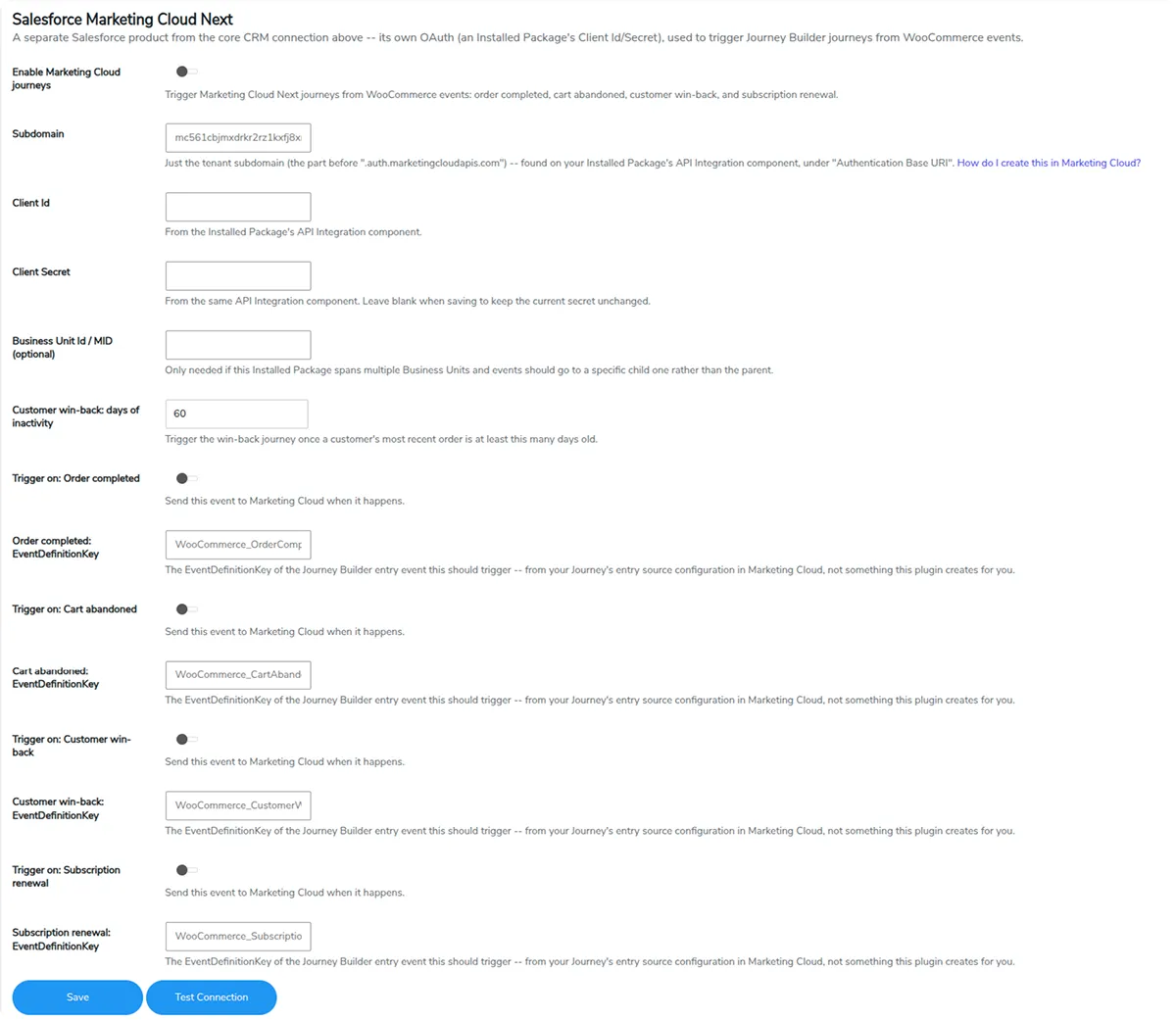
Salesforce Marketing Cloud Next Integration
Store owners can easily automate customer journeys with Salesforce Marketing Cloud Next Integration, based on key WooCommerce events such as completed orders, abandoned carts, subscription renewals, and customer win-back, helping them engage customers with relevant messages at every stage of their buying journey.
-
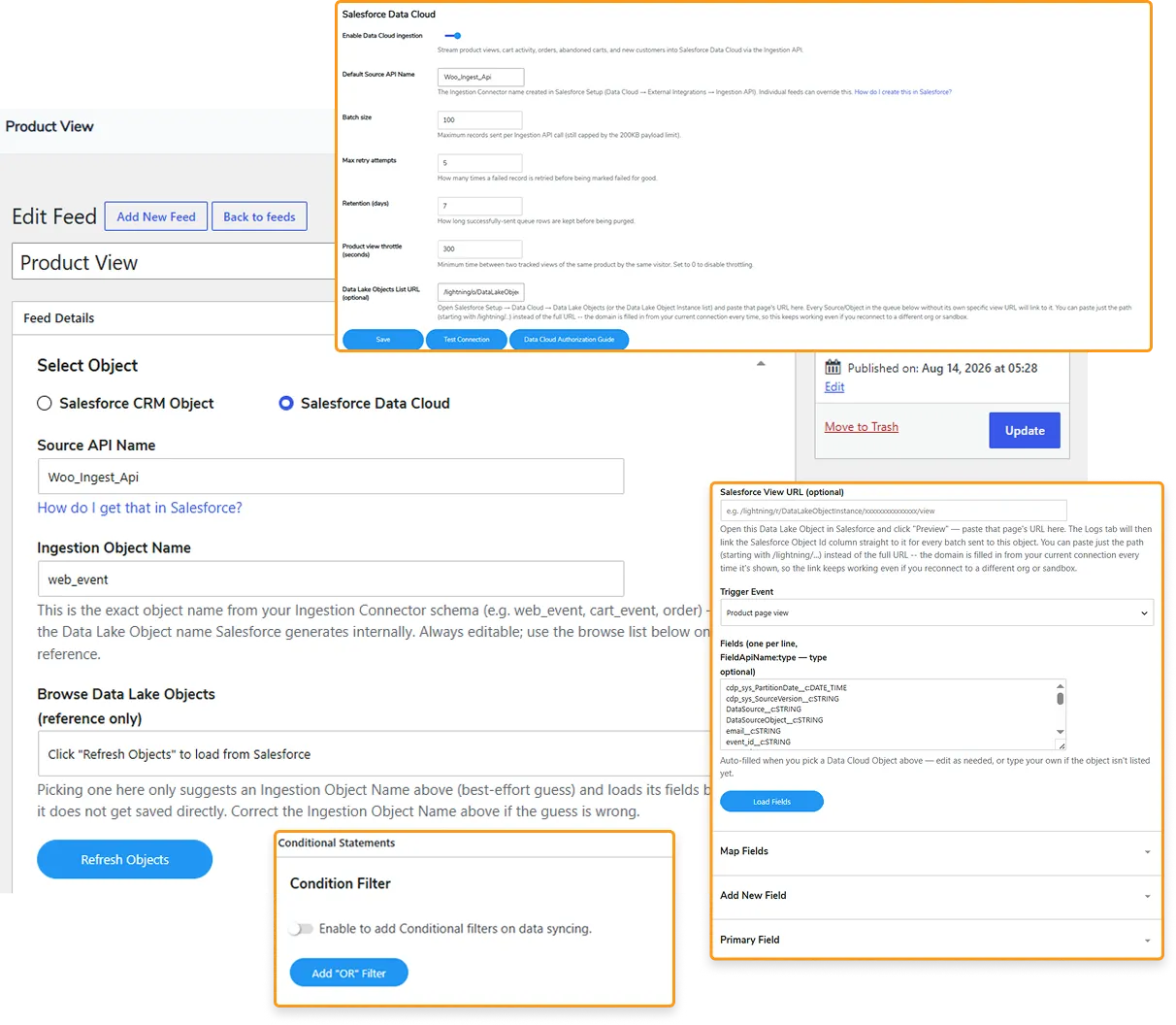
Salesforce Data Cloud (CDP) Connector
Merchants can now get a unified view of customer, product, order, and behavioral data by smoothly sending the details to Salesforce Data Cloud. With the unified data collection, merchants can build richer customer profiles, create targeted segments, personalize customer shopping experiences, and make data-driven marketing and business decisions.
Plugin Compatible With Us
Request Compatibility-
Affiliate Manager
The merchants can utilize this compatibility with Affiliate Manager to sync all their customer and affiliate data to Salesforce. The data is synced in three scenarios, and a separate event is created for this (Affiliate created/updated), which will be used to check that the feeds are for affiliates. The data will be synced when a user registers on Affiliate Manager’s platform, when they earn a commission, or when they update their account details. A cron job will run every 5 minutes to sync the mentioned data accurately. -
Subscriptions
Utilize subscription products as an object to map out and sync all the details related to the individual subscription product, be it the Subscription Name, ID, Parent ID, Status, Customer, Payment Method & Schedule, and all the other individual details can be synced. Three events are triggered here – when a subscription is created, when it’s updated, and when it’s changed. Admins can also utilize bulk and manual sync options to sync all the relevant data in one go.NOTE: After the enhancement, merchants can create the objects, fields, and feeds related to Subscription with just a single click.
-
WooCommerce Membership
The merchants can now utilize membership as an object to map out and sync all the details related to the individual membership plans, be it Membership Plan ID, Membership Created Date & Time, Membership End Date & Time, and other individual details that can be synced. The membership is created in either of two ways – by manually creating it or when an order is placed. So, in that case, two events are triggered – the order status is changed, or the Membership is updated. Admins can also utilize bulk and manual sync options to sync all the relevant data in one go.NOTE: After the enhancement, merchants can create the objects, fields, and feeds related to WooCommerce membership with just a single click.
-
Multisite
The Salesforce CRM connector is now compatible with multisite. After the compatibility, the plugin will work seamlessly with the sub-domains. The admin will be able to not only sync data but also create log tables (as per the requirements). The admin can sync data and effortlessly create log tables on different sub-domains, and the plugin also works efficiently on all domains. -
Advanced Custom Fields
WooCommerce Salesforce Connector now enables you to map out and sync all the custom-created fields as objects for your feeds. Merchants can utilize Advanced Custom Fields to create custom fields for their products. These custom fields are usually created for orders, users, and products. The admins can utilize two-way syncing and map out and sync the custom-created fields from Salesforce to WooCommerce and vice versa. -
Coupon Referral Program
Salesforce CRM Integration is compatible with the referral plugin for WooCommerce. This enables the admins to map out and sync all the details of all the coupons that are generated for the different orders and users. This compatibility will work for the order feed and user feed.


FAQs
- Instant Sync or Real-time Data Sync
- Syncing Specific Data Manually
- Historical Data Sync for your Previous/Old Data



ReviewsReviews

$99.00/year

$89.00/year$99.00/year

$89.00/year

$129.00/year$149.00/year

$79.00/year$89.00/year




Reviews
There are no reviews yet.