


If you’re running a WooCommerce store and still relying on the emails that ship with it by default, you’re leaving money on the table.
WooCommerce handles the transactional basics, order confirmations, shipping notices, password resets, but it was never built to run real WooCommerce email marketing automation.
There’s no native support for campaigns, newsletters, abandoned cart emails, or promotional sequences, customization is limited without extra coding, and there’s no automation or segmentation without specialized plugins.
Summary
WooCommerce only sends transactional emails by default (orders, shipping, refunds), so campaigns, segmentation, and abandoned cart recovery all require a third-party tool. Among top platforms, Klaviyo and Omnisend lead for SaaS-based automation, while MailPoet and FunnelKit run natively inside WordPress. The five highest-ROI flows are welcome series, abandoned cart recovery, post-purchase follow-up, win-back campaigns, and replenishment reminders, with abandoned cart recovery converting best since it targets shoppers who already showed intent. Mautic has no native WooCommerce connector, so it’s typically integrated via the WP Swings plugin, which auto-generates 70+ custom fields, builds customer segments, and triggers RFM-based dynamic coupons.
That gap is exactly why a whole category of tools exists: plugins and platforms that plug into WooCommerce’s order and customer data and turn it into automated revenue.
This is a complete guide to WooCommerce email marketing automation, the top 8 tools worth considering, 5 automation flows every store should have running, and a full step-by-step walkthrough of integrating WooCommerce with Mautic using the WP Swings Mautic plugin.
Since WooCommerce runs on WordPress, this is also a practical guide to WordPress email marketing automation more broadly, most of the tools below are WordPress email marketing plugins first and WooCommerce add-ons second.
Table Of Contents
Why WooCommerce Email Marketing Automation Matters?
WooCommerce’s built-in email system is genuinely good at one thing: telling customers what’s happening with their order. New account notices, order status updates, refunds, cancellations, it’s all there, automatically, out of the box.
What it doesn’t give you is WooCommerce email marketing automation in any real sense.
Where it falls short is everything that actually drives repeat revenue.
Editing WooCommerce’s default emails beyond basic tweaks means digging into PHP files or adding custom CSS, and there’s no built-in system for segmentation, automation workflows, or A/B testing.
If you want to recover an abandoned cart, send a win-back offer to a lapsed customer, or personalize a message based on purchase history, you need dedicated email marketing software for WordPress that actually does WooCommerce email marketing automation on top of your store.
Get Exclusive Offer On This Festive Season
Top 8 Tools for WooCommerce Email Marketing Automation
There’s no single “best” tool for WooCommerce email marketing automation, the right pick depends on store size, budget, and whether you want a SaaS platform or a wordpress email marketing plugin that lives entirely inside WordPress.
Here’s how the leading options stack up.
Quick Comparison Of WooCommerce Email Marketing Automation Tools
| Tool | Best For | Lives In | Standout Feature |
|---|---|---|---|
| Klaviyo | Data-heavy segmentation | SaaS | Cross-device cart rebuilding |
| SendPulse | Multichannel marketing | SaaS | Email + SMS + chatbots + web push in one |
| Omnisend | Balanced automation | SaaS | Email + SMS + push in one |
| MailPoet | WordPress-native simplicity | WordPress | Zero context-switching |
| FunnelKit | Native automation builder | WordPress | Deep WooCommerce trigger library |
| ActiveCampaign | CRM-driven journeys | SaaS | Multi-trigger workflows |
| MailerLite | Budget-friendly automation | SaaS | Genuinely usable free plan |
| GetResponse | Email + funnels + landing pages | SaaS | All-in-one feature bundle |
1. Klaviyo, Best for Deep Segmentation and Behavioral Data
Klaviyo is generally considered the power option for stores that want data-heavy WooCommerce email marketing automation.
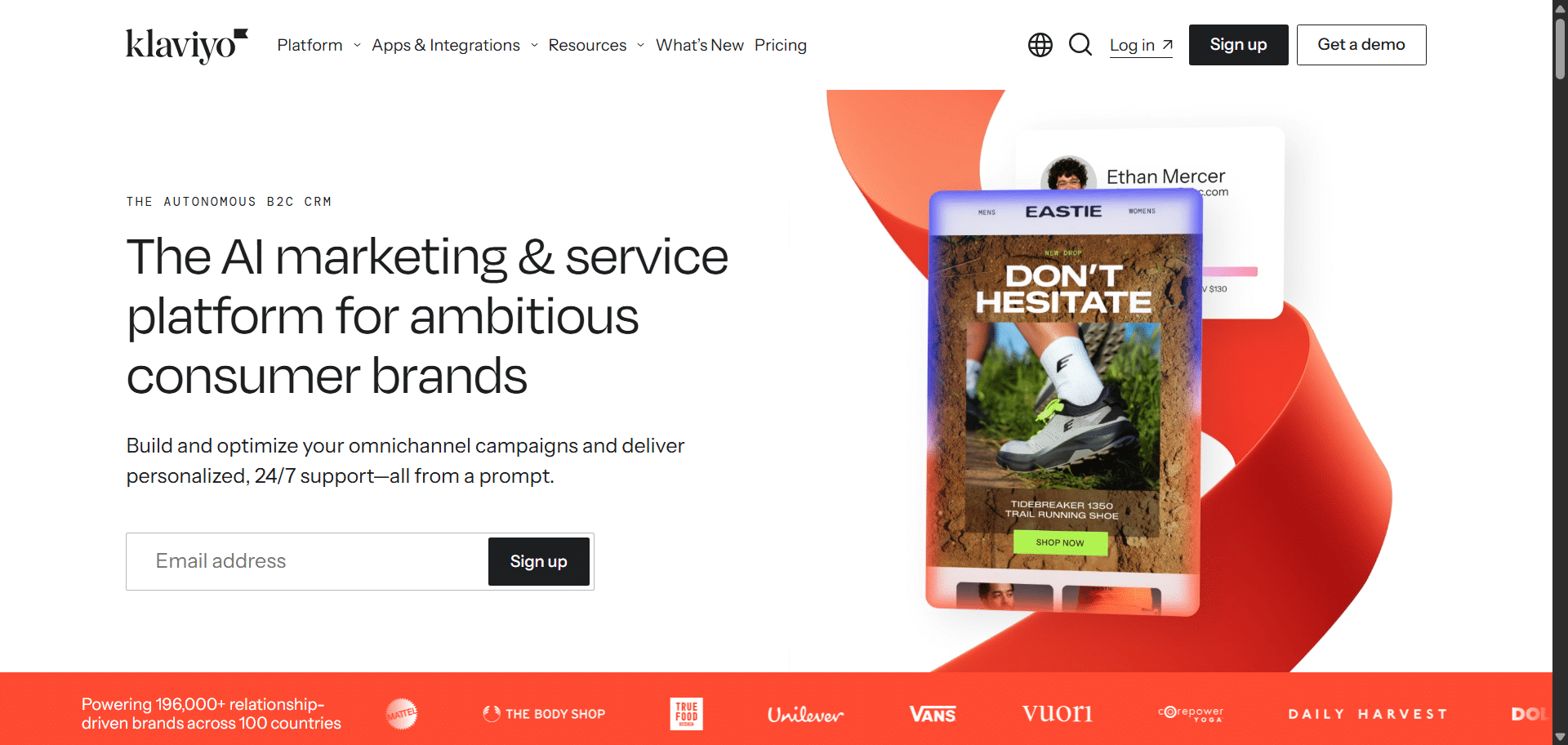
It lets you set rules to personalize product recommendations using best-sellers or recently viewed items, and it can rebuild an abandoned cart from WooCommerce data even if the customer returns on a different device.
The tradeoff: pricing climbs quickly as your list grows, and its automations (called “flows”) are built around a single trigger each, which limits some complex branching.
2. SendPulse — Best for Email and Chatbot Automations with Native CRM
SendPulse is among the best when it comes to automated flows for abandoned cart reminders, welcome sequences, and re-engagement campaigns, then layers in a CRM that keeps every contact, channel, and support request in one place. It’s a win for stores that want cart recovery to feed directly into repeat-purchase and upsell campaigns.
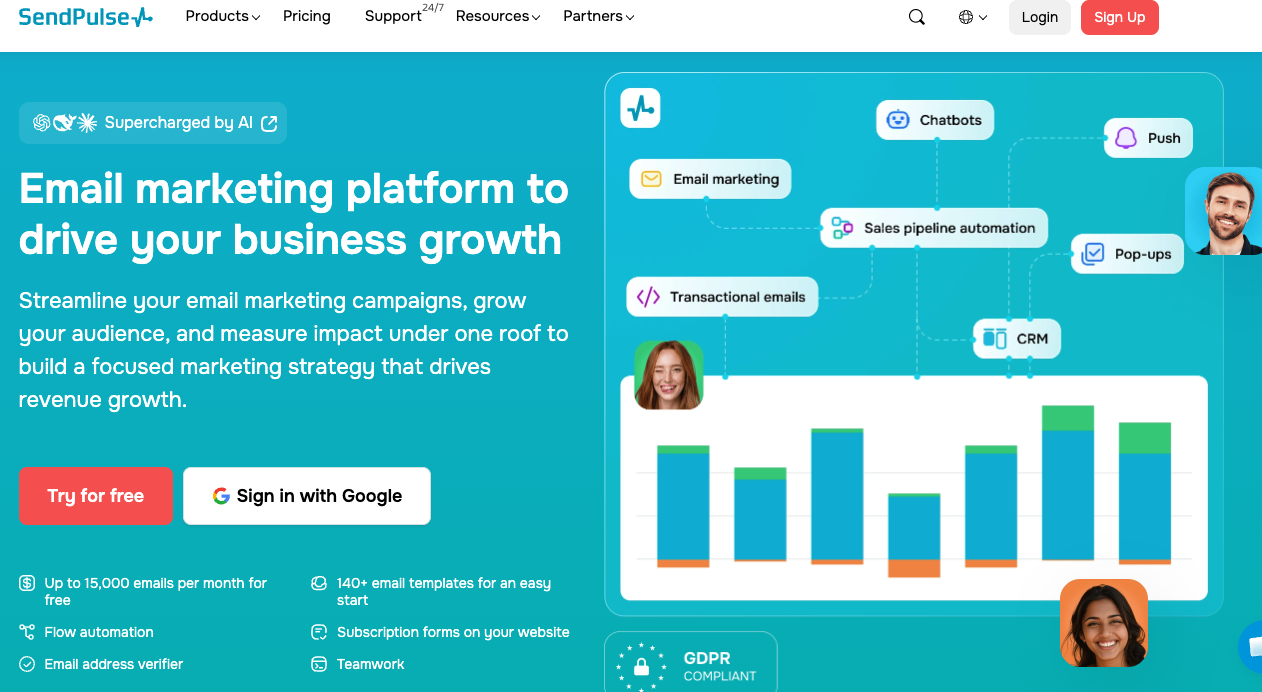
Its free-forever plan covers up to 15,000 emails a month to 500 subscribers with five automated flows included, so smaller WooCommerce stores can run real automation before paying anything. If a business decides to invest, paid plans start at $9.60/month (500 subscribers, billed monthly).
Beyond email, it runs chatbot automations on WhatsApp, Instagram, Facebook Messenger, Telegram, Viber, and TikTok, including an official WhatsApp Business API, so cart-recovery and order-update messages can also go out over chat rather than just inbox.
3. Omnisend, Best All-Round Balance of Automation and Ease
Omnisend consistently comes up as the pick for stores that want strong WooCommerce email marketing automation without Klaviyo’s complexity or cost.
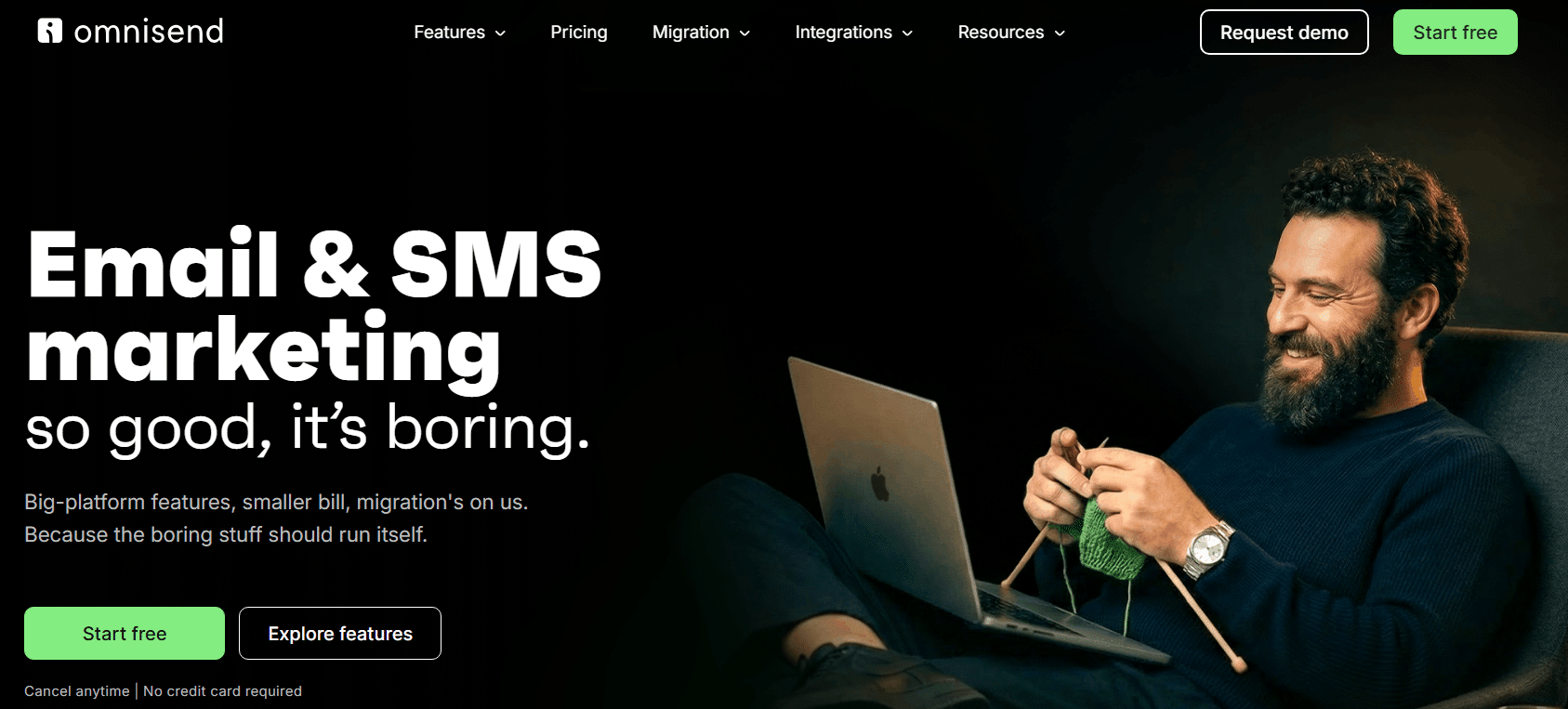
As one of the more complete email and SMS marketing automation platforms, it combines email, SMS, and push notifications in one place, and its pre-built WooCommerce workflows, cart recovery, welcome series, post-purchase flows, are ready to activate with minimal customization, pulling products directly from your catalog into emails.
Segmentation and reporting are less advanced than Klaviyo’s, but for most growing stores that’s a fair trade for the lower learning curve.
4. MailPoet, Best WordPress-Native Option
If you’d rather not manage a separate SaaS dashboard, MailPoet is a wordpress email marketing plugin that runs your entire WooCommerce email marketing automation from inside wp-admin.
Cart recovery, order follow-ups, and welcome emails are configured directly in WordPress, which means zero context-switching for store owners who live in their WordPress admin.
For anyone comparing options for the best email marketing for WordPress without leaving their dashboard, this email marketing wordpress plugin is the simplest to get running, though its e-commerce automation is more basic than dedicated platforms.
5. FunnelKit Automations, Best Native WooCommerce Automation Builder
FunnelKit (formerly Autonami) is an email marketing plugin for WordPress built specifically for WooCommerce email marketing automation using native store triggers.
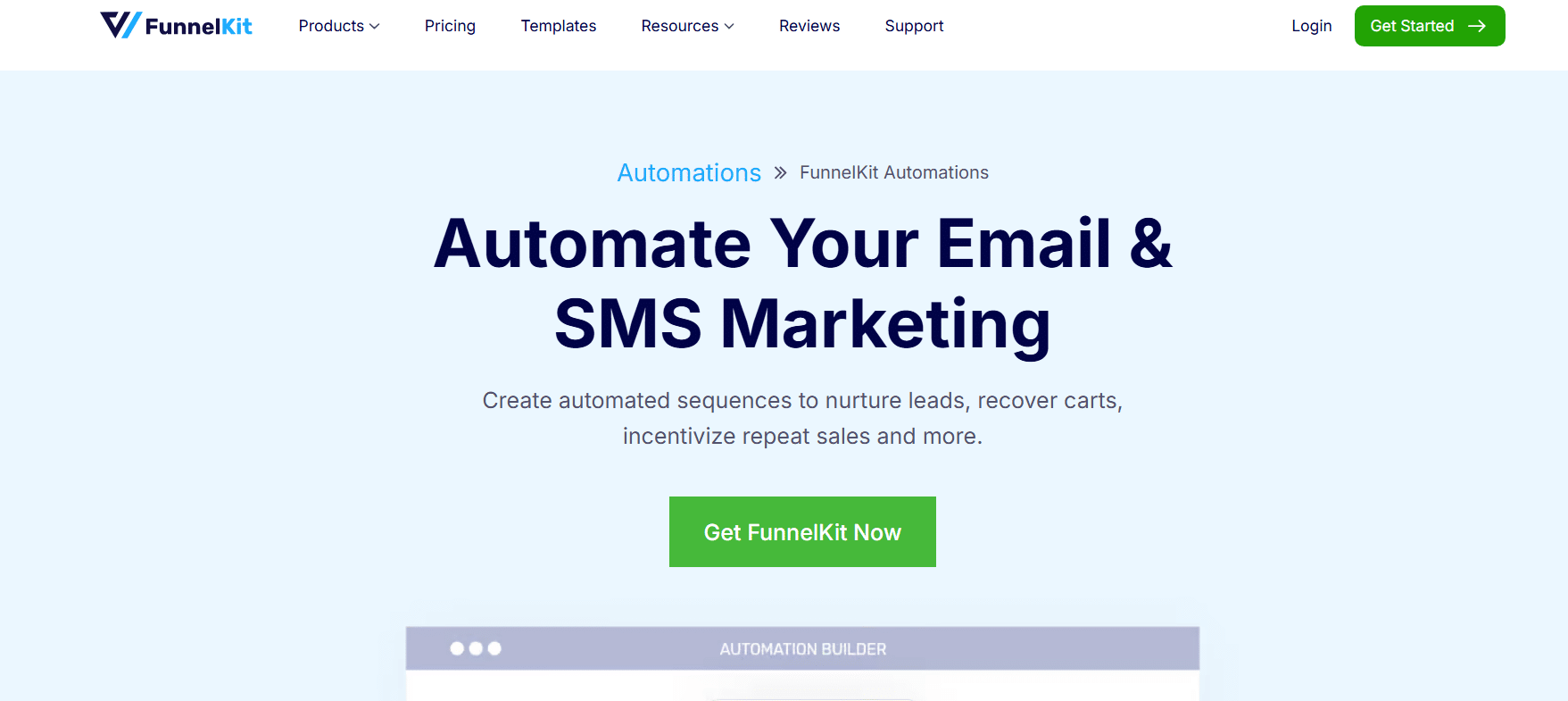
It lets you create, run, and monitor transactional and marketing email campaigns directly from the WordPress dashboard, with a wide range of action triggers such as order creation, refunds, and cart abandonment.
Whether you’re searching for plugin wordpress email marketing options or an automation builder specifically, it’s a strong choice if you want automation logic to live natively in WordPress rather than syncing to an external platform.
6. ActiveCampaign, Best for CRM-Driven Journeys
For stores that want an email marketing automation CRM rather than a standalone sender, ActiveCampaign is a longtime category leader.
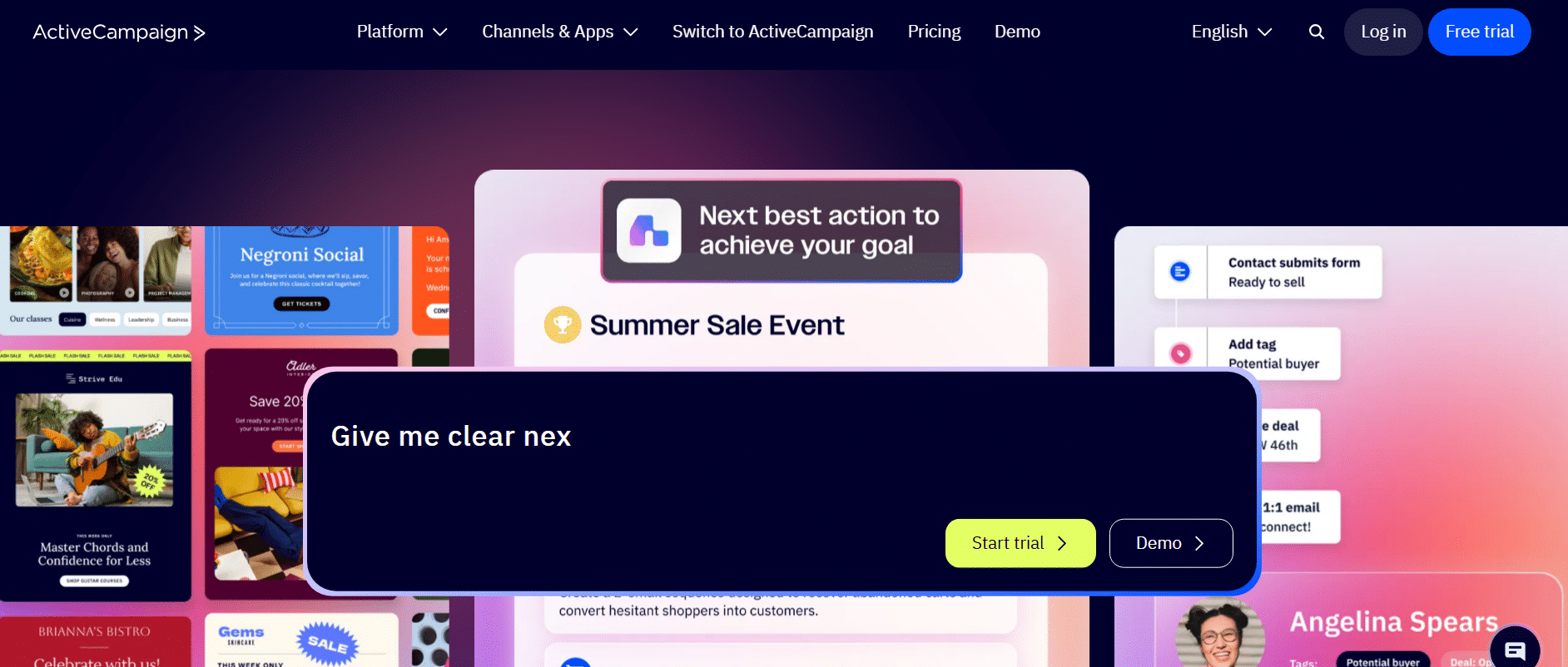
Its CRM system helps you use customer data to power campaigns across the entire customer journey, and you can automate responses to any action using triggers and multi-trigger custom workflows.
It’s more of an investment, both in cost and setup time, but it scales well for stores with complex funnels.
7. MailerLite, Best Budget Option With a Real Free Tier
MailerLite is the pick for stores that want genuine WooCommerce email marketing automation without a steep learning curve or cost.
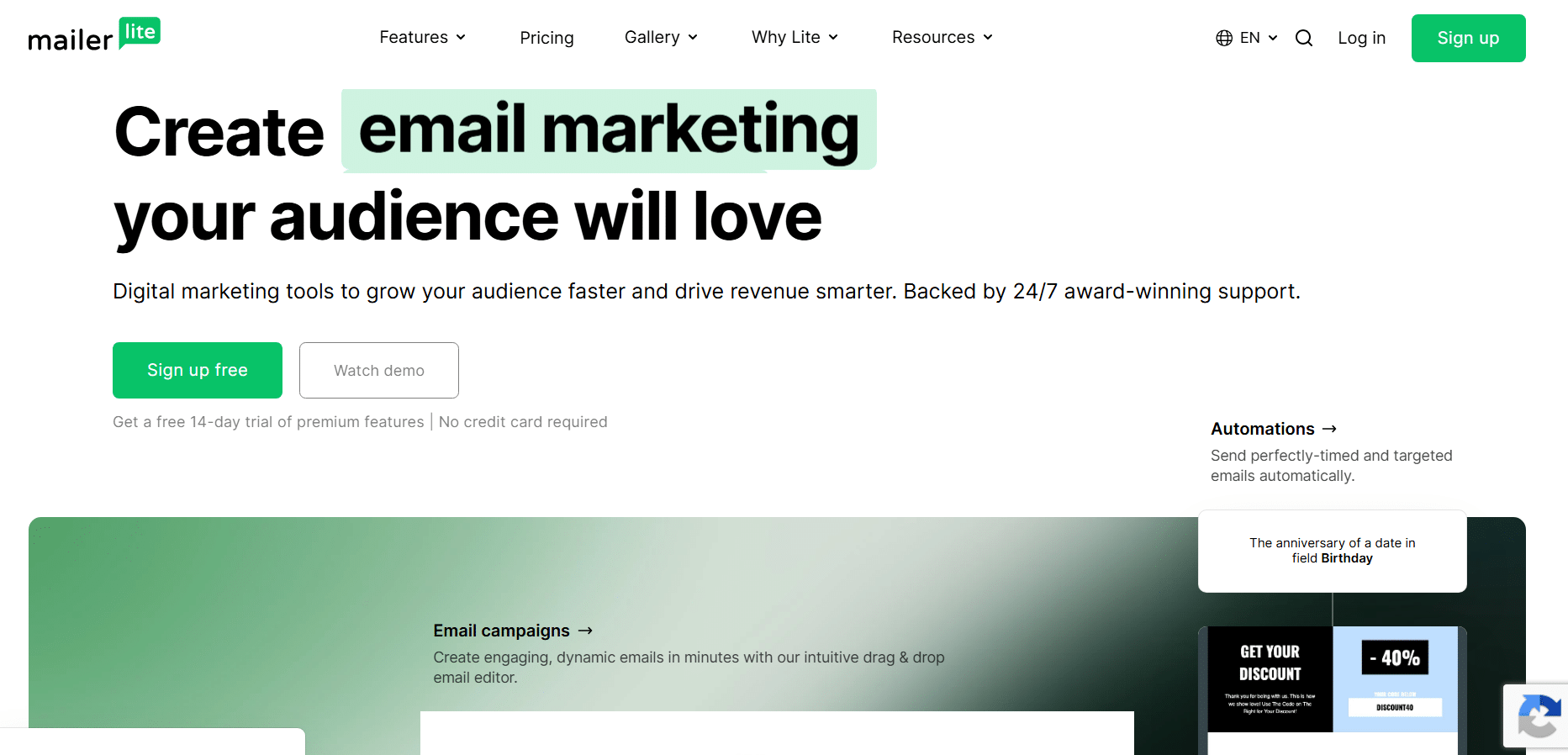
Its free tier is generous and includes real automation, welcome series and simple post-purchase flows work as expected, not as a crippled trial. The WooCommerce plugin syncs customers and orders and lets you use product blocks to pull items straight into emails.
It’s a pure email tool (no SMS or social), so stores wanting a single-channel, low-cost setup tend to land here.
8. GetResponse, Best for Bundling Email With Funnels and Landing Pages
GetResponse rounds out the list of tools capable of solid WooCommerce email marketing automation for stores that want more than email in the same subscription.
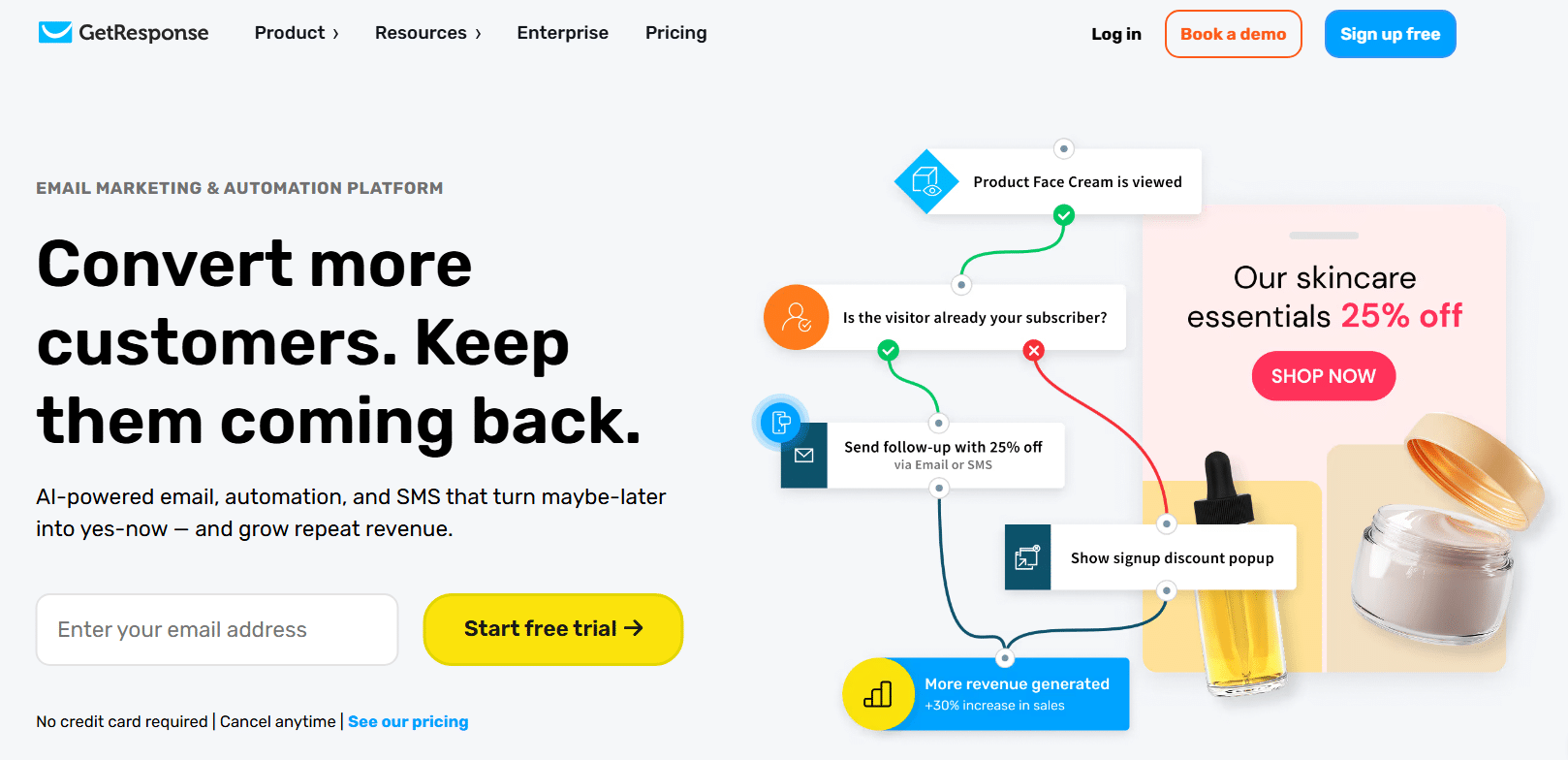 It offers e-commerce features like product recommendations and cart abandonment alerts alongside landing pages and webinar tools, and its WooCommerce integration syncs products and orders directly.
No single feature is best-in-class here, but the breadth is good value if you’d otherwise be paying for separate landing-page and funnel software.
5 WooCommerce Email Marketing Automation Flows Every Store Should Have
Regardless of which platform you choose, the value comes from the flows you build on top of it. These five email marketing automation examples are the core WooCommerce email marketing automation sequences worth setting up first, in roughly this order of priority.
1. Welcome Series
Triggered the moment someone subscribes or creates an account. This is a customer’s first real interaction with your brand beyond the product page, so use it to set expectations and build trust.
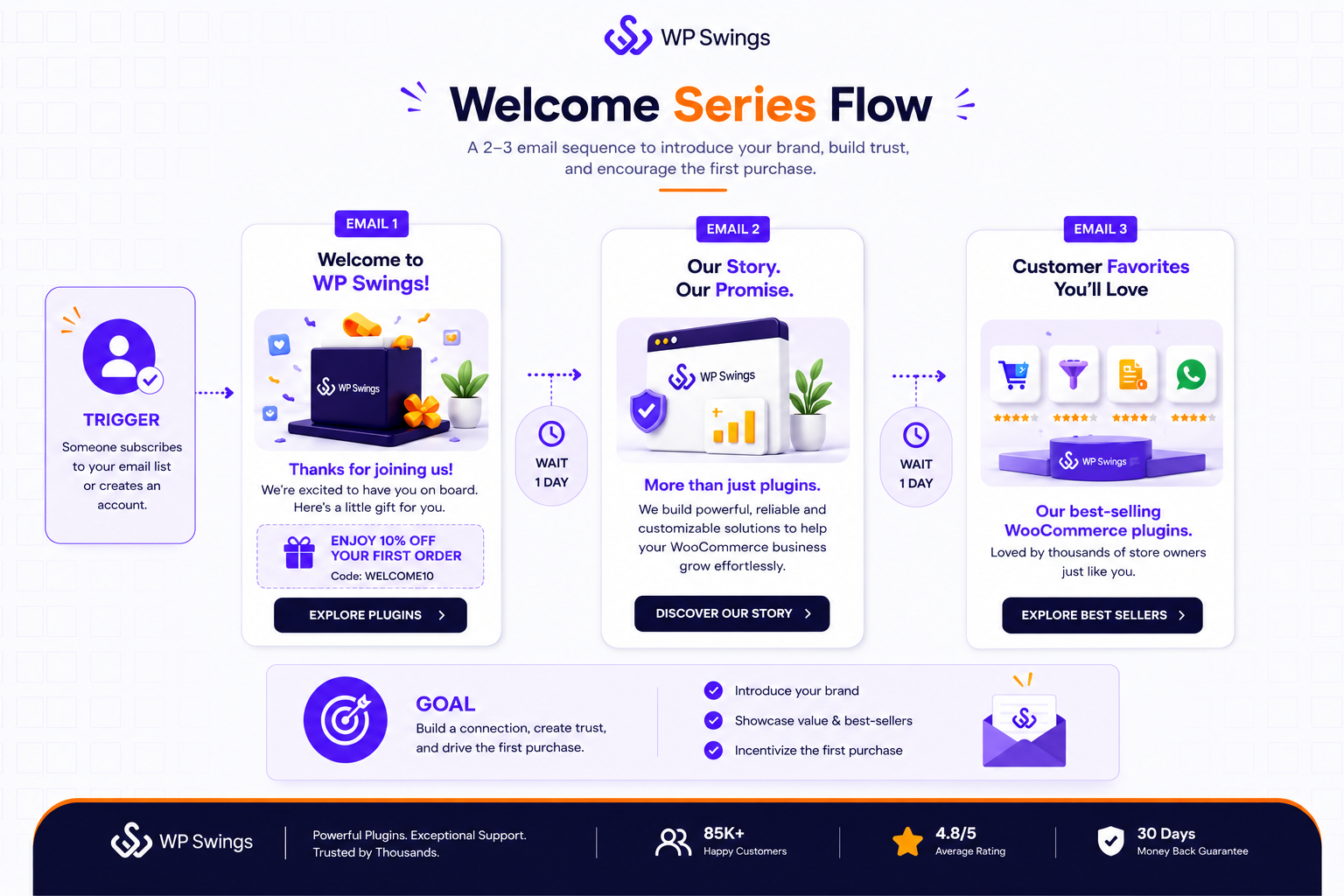
A short 2–3 email sequence introducing your brand story, best-sellers, and (often) a first-purchase incentive tends to outperform a single generic “thanks for signing up” email.
2. Abandoned Cart Recovery
WooCommerce doesn’t track this natively, you need a tool built for WooCommerce email marketing automation to detect abandoned carts and send automated recovery sequences without relying on extra plugins.
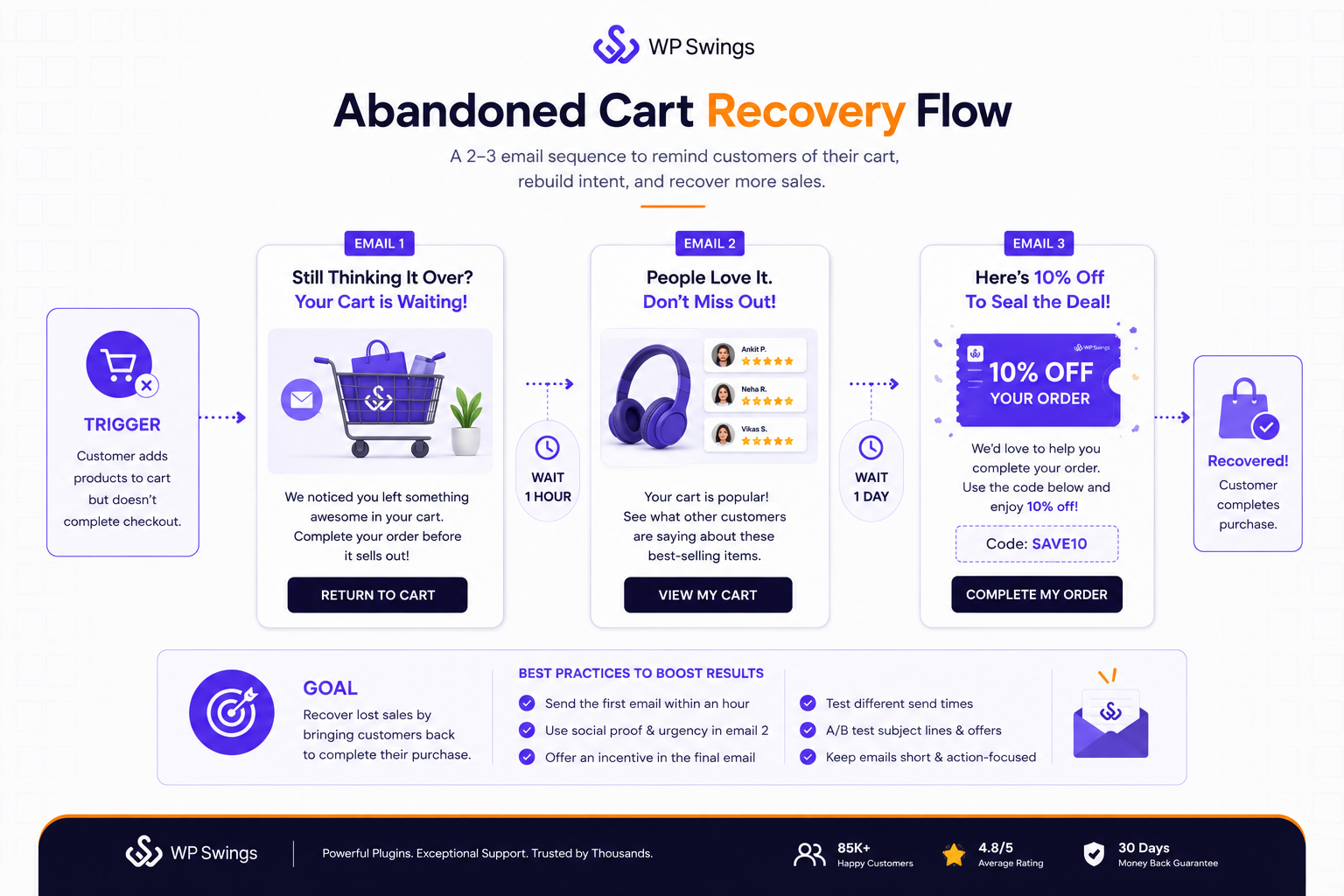
This is consistently the highest-ROI flow for e-commerce stores because the customer has already shown clear purchase intent.
A good sequence is usually 2–3 emails: a gentle reminder within an hour, a nudge with social proof or urgency the next day, and an incentive (discount or free shipping) as a last resort before you let the lead go cold.
Following email marketing automation best practices here, testing send times, subject lines, and incentive tiers, is usually what separates a 5% recovery rate from a 15% one.
3. Post-Purchase Follow-Up
Order confirmation is transactional; the follow-up is marketing. Once a customer receives their product, follow up with a review request, care or usage instructions, and a recommendation for complementary products.
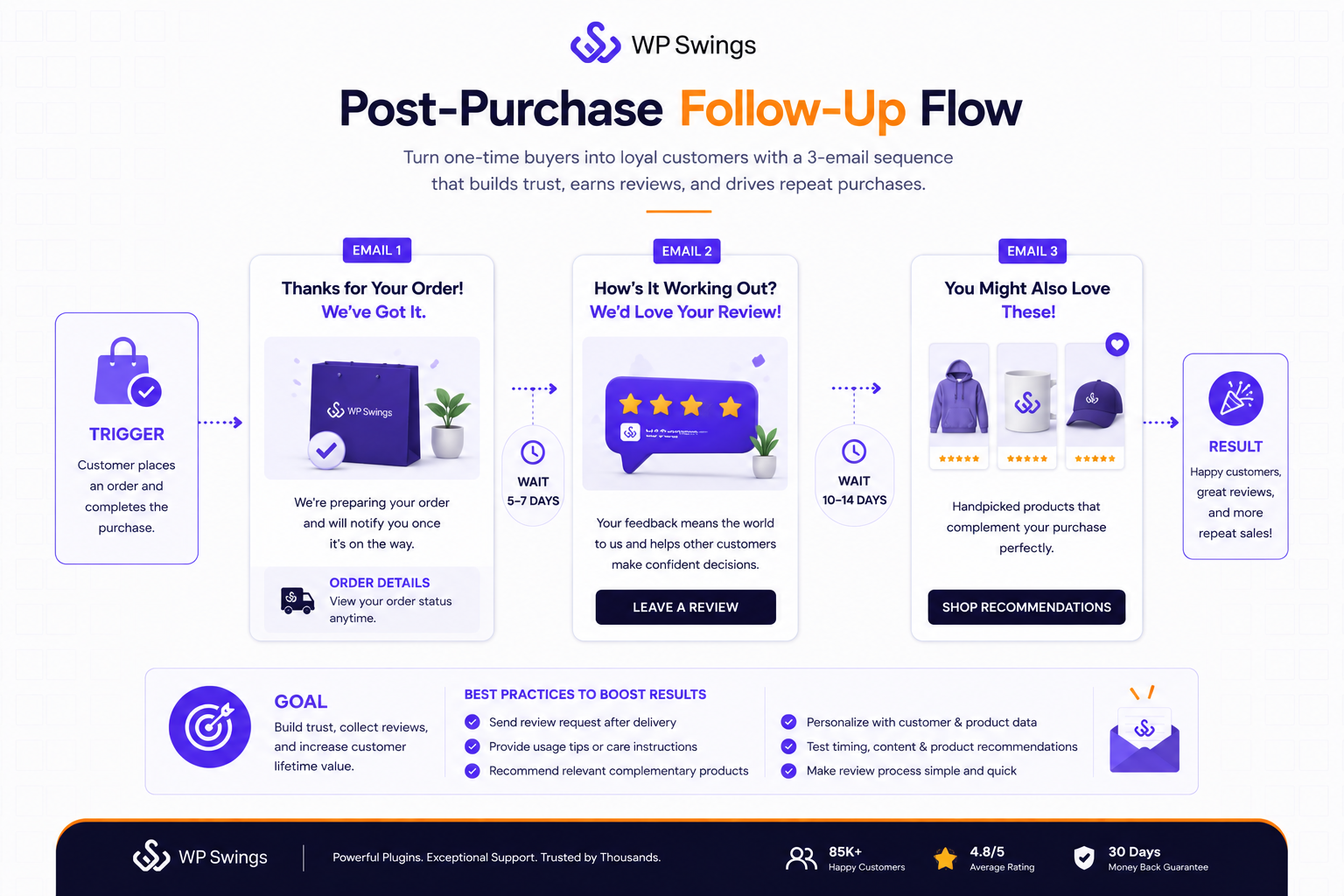
This flow does double duty, it builds social proof (reviews) and sets up the next purchase.
4. Win-Back / Re-Engagement
Targets customers who haven’t purchased in a defined window (60, 90, 180 days depending on your typical repurchase cycle).
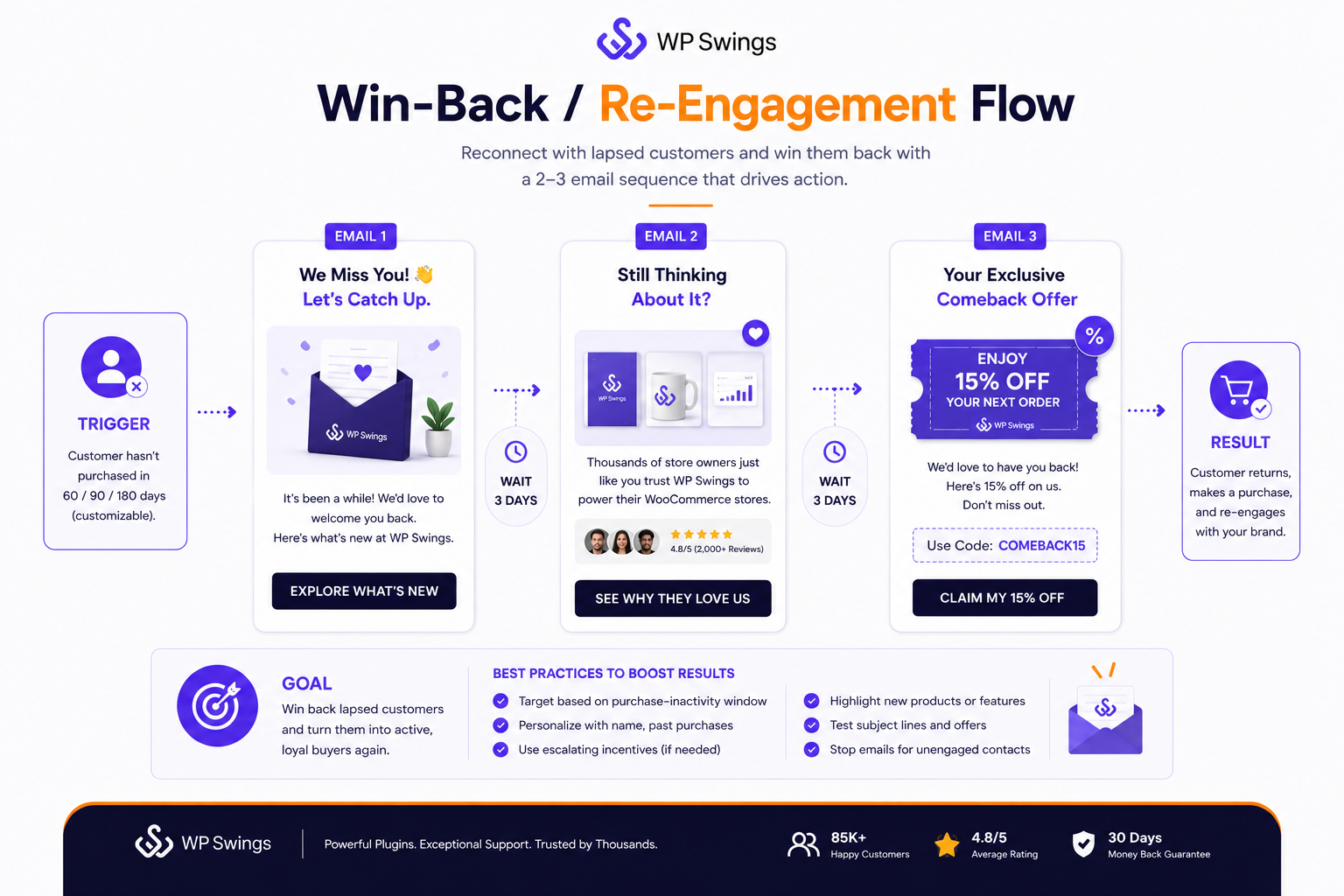
Pair it with a “we miss you” message and, if needed, an escalating incentive across 2–3 emails.
This is where good customer segmentation pays off, you want a lapsed customer, not just anyone who hasn’t opened an email in a while.
5. Replenishment Reminders
If you sell anything consumable, supplements, coffee, skincare, pet food, a timed reminder based on average time-between-purchase is one of the easiest flows to automate and one of the most reliably profitable, since it’s essentially asking someone to buy something they already know they’ll need again.
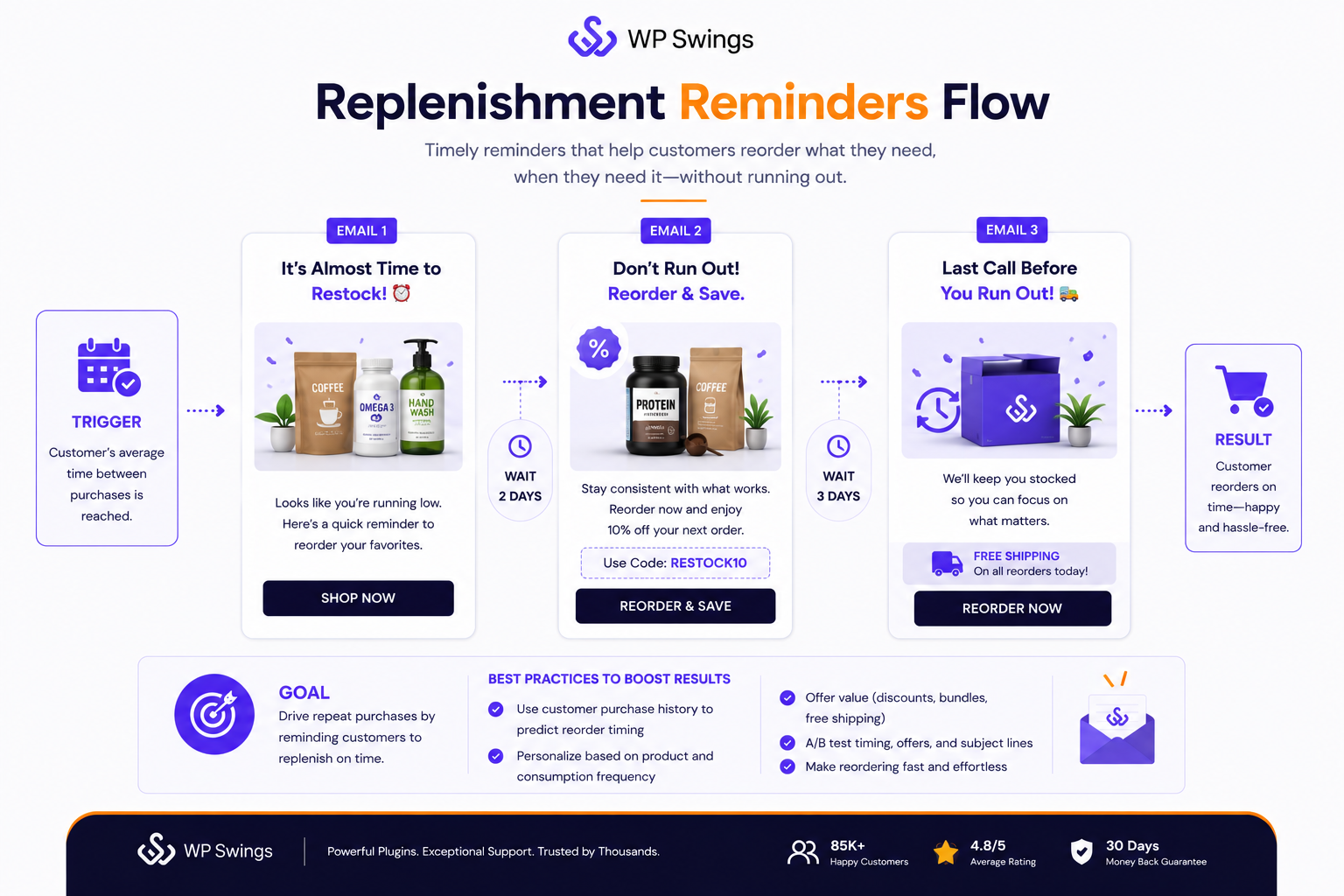
Trying to launch all five at once is unrealistic for most teams. Start with welcome and abandoned cart, these two are the ones nearly every WooCommerce email marketing automation tool ships as ready-to-activate templates, then layer in post-purchase, win-back, and replenishment once you have baseline data on open and conversion rates.
WooCommerce Email Marketing Automation Using the WP Swings Plugin
Mautic is the open-source alternative to Klaviyo or ActiveCampaign, self-hosted (or hosted via a managed provider), free of per-contact pricing, and fully API-accessible.
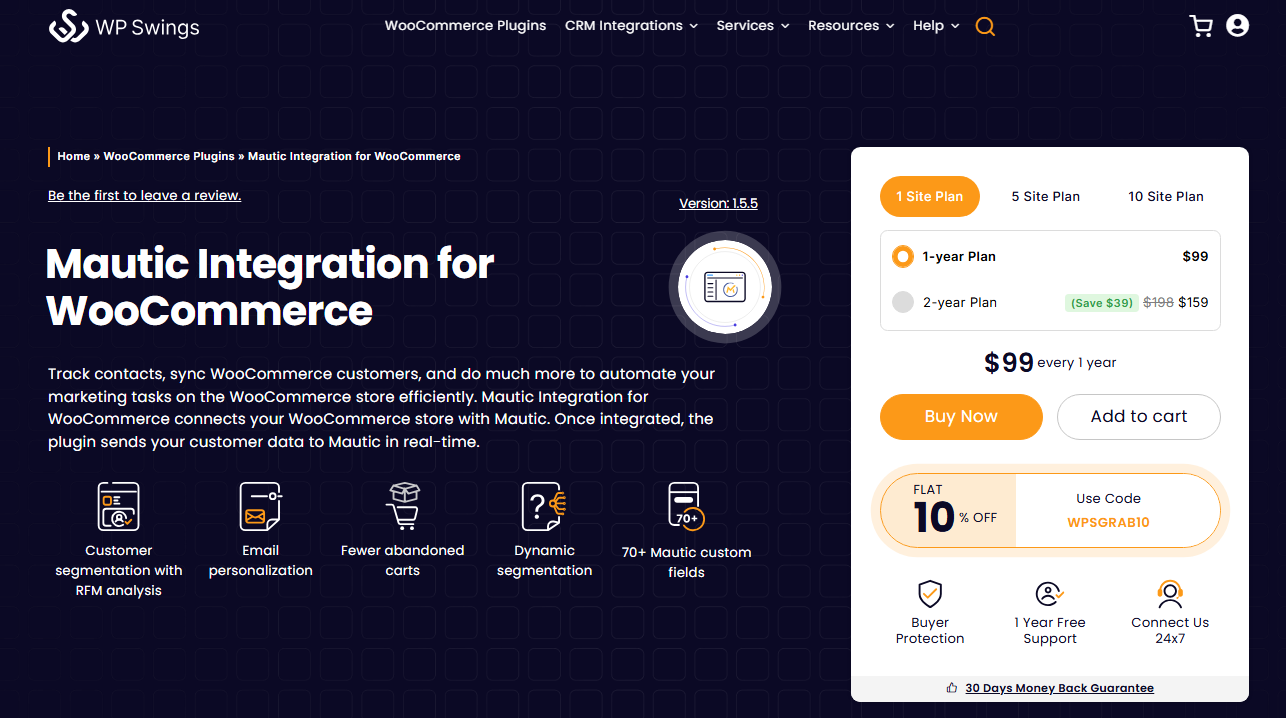
The tradeoff for that flexibility is that Mautic doesn’t have a native WooCommerce connector out of the box.
The most complete, no-code way to bridge the two, and run genuine WooCommerce email marketing automation on an open-source stack, is the Mautic Integration for WooCommerce plugin by WP Swings, which handles the connection, data mapping, segmentation, and even coupon automation in one package.
(If you later need custom logic the plugin doesn’t cover, n8n email marketing automation workflows built on Mautic’s webhooks are worth exploring, but for most stores, the plugin below is all you’ll need.)
Prerequisites
Before you touch the plugin, you need Mautic itself already running, the plugin only provides a connection to sync data between your WooCommerce store and Mautic; it doesn’t include Mautic itself.
This means either a self-hosted Mautic instance or an account with a managed Mautic host, plus admin access to both your WordPress dashboard and your Mautic instance so you can authorize the connection.
Step 1: Install and Connect the Plugin
Install the Mautic Integration for WooCommerce plugin from the WooCommerce marketplace and activate it. Then:
-
- Navigate to WP Admin > WooCommerce > Mautic > Connect.
- Enter your Mautic Base URL, Client ID, and Client Secret. You can generate the Client ID and Client Secret inside Mautic under API Credentials/OAuth2 Settings.
- Click Authorize. You’ll be redirected to Mautic and prompted to permit the connection. Select Accept.
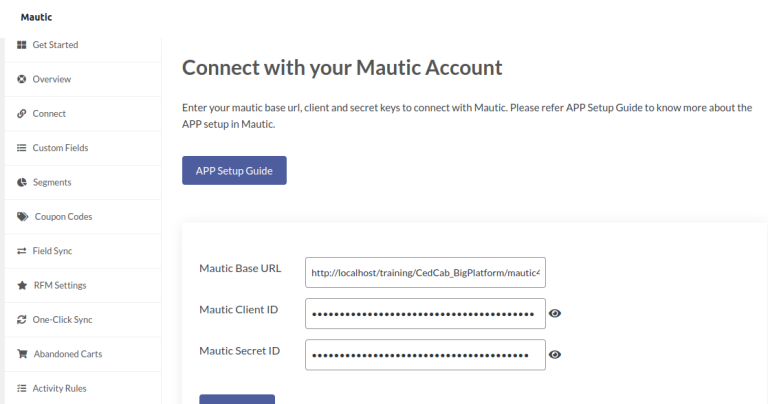
- Return to WordPress and verify that the connection status, account email, and token renewal details are displayed under the Connect tab.
- If any of these details are missing, clear your Mautic cache and repeat the authorization process, as this is the most common setup issue.
Step 2: Generate Custom Fields
Once authorized, move to the Custom Fields tab and select Start Setup. This is where the plugin does most of its heavy lifting for your WooCommerce email marketing automation.
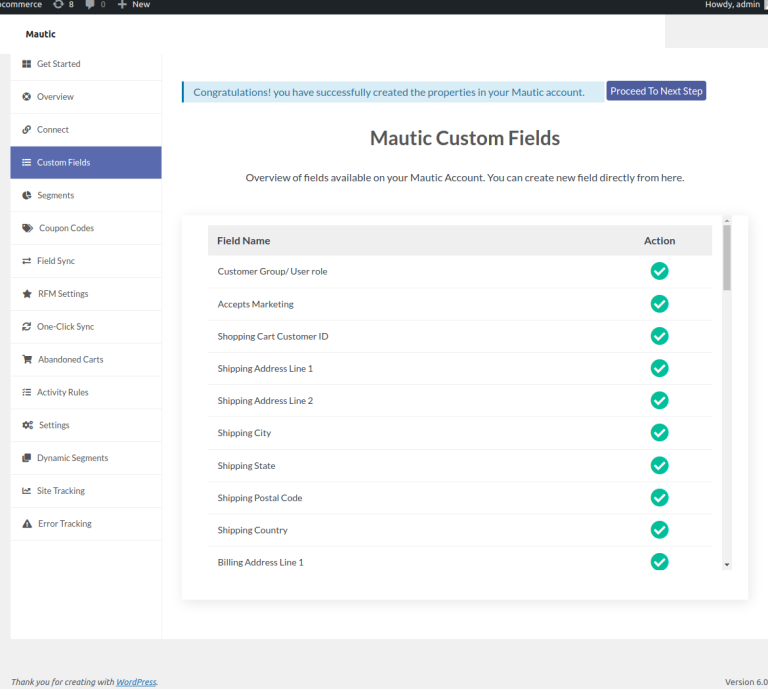
It creates over 70 custom fields, letting you capture your customers’ data and order information directly as Mautic custom fields, things like total spend, last order date, product categories purchased, and shipping details.
These fields are what everything downstream (segments, campaigns, coupon rules) will key off of, so it’s worth letting this step complete fully before moving on.
Step 3: Create Segments
With custom fields in place, go to the Segments tab. The plugin lets you organize customers by segments based on that custom field data and build campaigns around them.
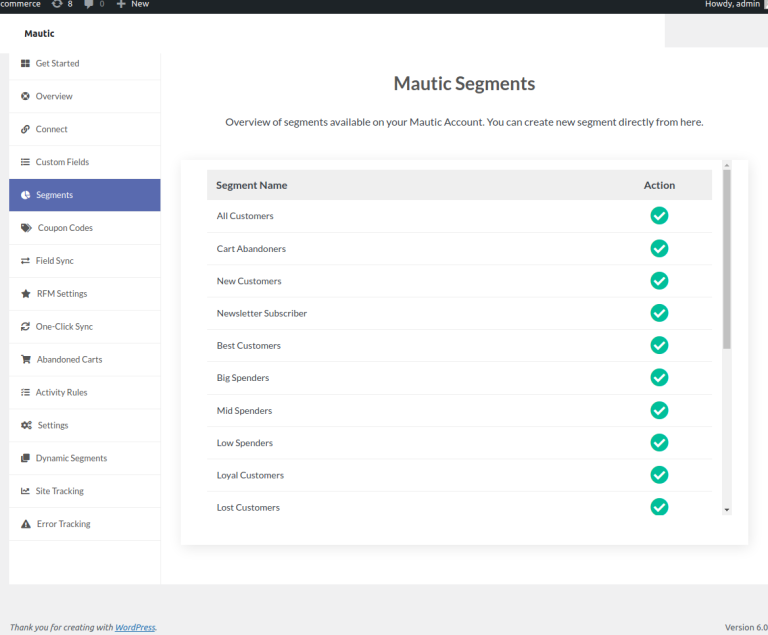
With segments like new customers, repeat customers, high-value spenders, and abandoned-cart contacts available out of the box.
Select the segments relevant to your store and click Start Setup to have them created inside your Mautic account.
Step 4: Set Up RFM-Based Coupon Rules (Optional but Powerful)
This is the feature that sets the WP Swings plugin apart from a basic data sync and makes it one of the more advanced options for WooCommerce email marketing automation.
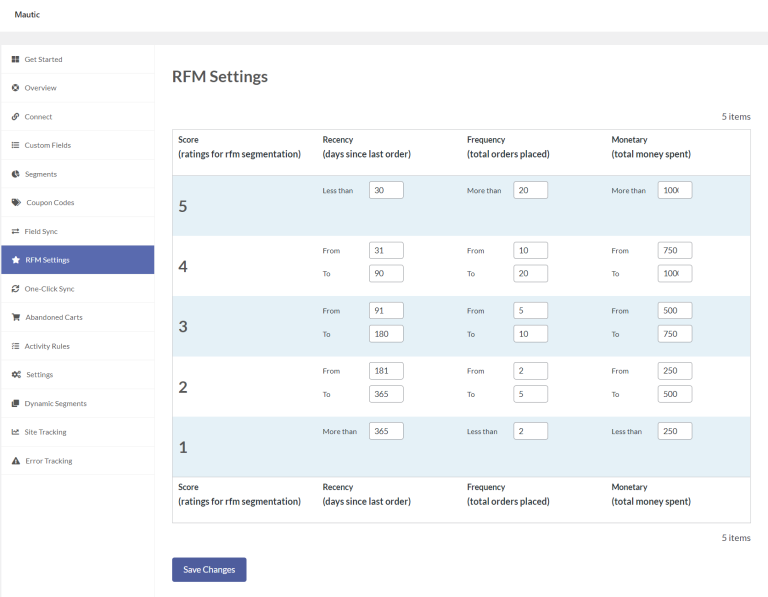
Under Coupon Generation Rules, click Add New Rule and configure:
- The RFM (Recency, Frequency, Monetary) thresholds at which a coupon should generate
- The coupon name and discount amount
- The discount type: percentage, fixed cart, or fixed product
- Whether free shipping is included
This lets Mautic campaigns trigger genuinely personalized, single-use dynamic coupon codes based on how valuable or how lapsed a specific customer is, rather than blasting the same generic discount to everyone.
Step 5: Build Your Abandoned Cart Recovery
The plugin also surfaces abandoned cart data directly: you can view current abandoned carts (cart email, cart total, user type, including guests) and configure settings like the abandonment timer and whether to auto-delete stale cart data and coupons.
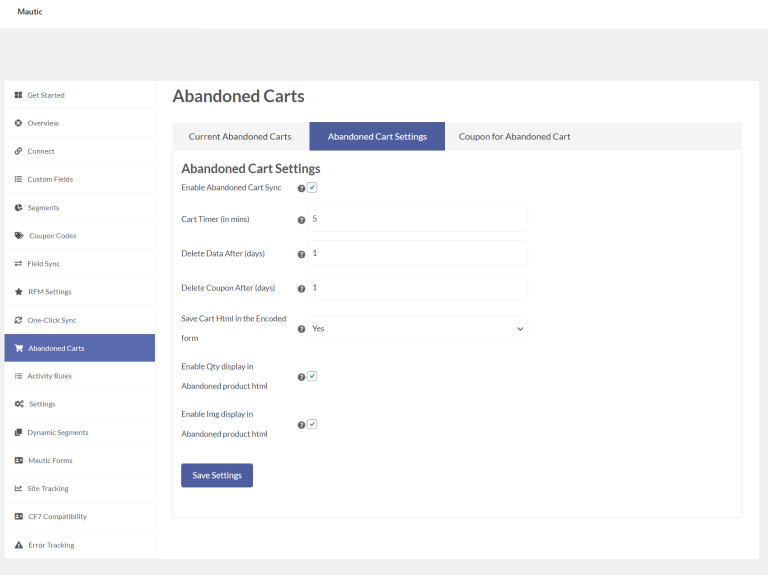
Combined with the segments and RFM coupon rules above, this is usually the first piece of WooCommerce email marketing automation worth wiring end-to-end, since it’s the fastest path to recovered revenue.
Read The Detailed Setup Guide: How to Connect Your WooCommerce Store With Mautic?
Troubleshooting: Contacts Appear But Segments Stay Empty
This is the single most common issue store owners hit after setup. If contacts are showing up in Mautic but segments aren’t updating and show zero contacts, it’s a cron issue:
If you’re self-hosting Mautic, you’ll need Mautic cron jobs set up for segments, since the plugin only creates the segments in Mautic, contacts get assigned by Mautic itself on every cron execution.
Set up (or check) your Mautic cron jobs before assuming the integration is broken.
After You’re Connected: What to Build in Mautic
Once the plugin has synced your data, treat the segments and custom fields as the foundation for your WooCommerce email marketing automation, not the finish line:
- Map segments to campaigns in Mautic’s visual campaign builder. For example, a new-customer segment can feed a welcome campaign, while an abandoned-cart segment can feed a recovery campaign.
- Layer in the RFM coupon rules once you can see which segments are actually converting, rather than setting arbitrary discount thresholds on day one.
- Re-check your cron setup periodically if you’re using a self-hosted installation. A silently failing cron job is the most common reason a previously working automation appears to stop.
Conclusion
If you want the fastest path to results and don’t mind a monthly SaaS fee, Omnisend or Klaviyo will get you running abandoned-cart and welcome flows in an afternoon. If you’d rather keep everything inside WordPress, MailPoet or FunnelKit avoid the extra dashboard entirely, and MailerLite or GetResponse cover the budget-conscious middle ground.
And if data ownership, cost control at scale, or deep customization matter more than convenience, Mautic, paired with the WP Swings plugin walked through above, gives you a fully open-source path to WooCommerce email marketing automation with no per-contact pricing ceiling.
Whichever you choose, the same rule holds: WooCommerce’s default emails were built to confirm transactions, not to build relationships.
The 8 tools and 5 flows above are what turn a store’s order data into a genuine, ongoing conversation with customers, and that’s what real WooCommerce email marketing automation looks like in practice.
These same fundamentals hold whether you’re a solo store owner or running b2b email marketing automation for a client roster, the right trigger, the right segment, and the right message matter more than which platform’s logo is on the dashboard.
If you’d rather not build all of this yourself, an email marketing automation agency or an independent email marketing automation expert can typically get these flows live faster than trial-and-error, especially on the Mautic side where setup has more moving parts.
Frequently Asked Questions
What is email marketing automation?
Email marketing automation is the practice of sending emails triggered by a customer’s behavior or a set schedule, rather than manually sending each one. Instead of a marketer hitting “send” every time, rules like “customer abandoned cart” or “customer signed up” fire pre-built email sequences automatically, at scale, personalized to that individual.
What is the difference between email marketing and marketing automation?
Email marketing refers specifically to sending emails, newsletters, promotions, announcements, usually to a broad list at once. Marketing automation is the broader system: it uses triggers, segments, and workflows across multiple channels (email, SMS, push, even ads) to deliver the right message to the right person at the right time.
Email marketing is one channel automation runs through; automation is the engine deciding when and to whom.
Why does email testing matter in marketing automation?
Because automated emails run unattended once set up, a broken link, wrong personalization tag, or bad subject line gets repeated on every send until someone catches it. Testing subject lines, send times, and content variations (A/B testing) before and during a live flow is what turns a mediocre automation into one with meaningfully higher open and conversion rates, small differences compound across hundreds or thousands of automated sends.
How do you automate email marketing?
Start by connecting your store or website data to an email marketing tool (Klaviyo, Omnisend, Mautic, etc.) so it can see customer and order activity. Then build flows around key triggers, welcome series on signup, cart recovery on abandonment, post-purchase follow-ups on order completion, using each platform’s visual automation builder.
Segment your audience first so the same trigger doesn’t send an identical message to a first-time visitor and a VIP repeat customer.
How do you automate restaurant email marketing?
Restaurant automation centers on visit frequency and occasions rather than cart abandonment. Common flows include a welcome offer for new email sign-ups, a birthday or anniversary discount, a “we miss you” re-engagement email for guests who haven’t ordered or booked in 60–90 days, and post-visit follow-ups asking for a review or feedback.
If the restaurant runs online ordering, abandoned-order recovery works the same way it does for any e-commerce store, a reminder within the hour, followed by an incentive if there’s no response.
About the Author: Mohd Talib






Totally agree, I’ve found that too. It’s frustrating how basic WooCommerce is when it comes to actually marketing to customers.
A well-structured overview of email automation for WooCommerce. The emphasis on segmentation and post-purchase communication is particularly valuable.