Every refund request is more than just money going back out. It usually points to something that went wrong earlier in the customer experience. Maybe the product didn’t meet expectations. Maybe delivery took longer than promised. Or maybe the customer couldn’t find a simple answer and gave up.
For store owners, WooCommerce refunds and support tickets quietly chip away at profits. They take up your time, reduce margins, and create day-to-day friction that makes it harder to focus on growth. The good part is that many of these issues are avoidable if the right systems are in place.
In this guide, we’ll look at practical strategies used by successful WooCommerce stores to reduce refunds and keep support requests under control.
7 Strategies to Reduce Woocommerce Refunds
The True Cost of WooCommerce Refunds
Before jumping into solutions, it helps to look at what these problems really cost your business. A refund isn’t just the order value going back to the customer. You also lose payment processing fees that aren’t returned, cover shipping both ways, spend time restocking items, and put in manual effort to process the request.
Support tickets come with their own hidden costs. Every email or chat needs your attention and pulls you away from other work. When your inbox fills up with the same questions about delivery timelines or return rules, those small interruptions add up. That’s time you could have spent on marketing, improving your products, or planning what’s next for your store.
It’s also worth remembering that bringing in a new customer is far more expensive than keeping an existing one. When a customer asks for a WooCommerce refund, it usually means something in the experience didn’t work. And when support interactions leave people frustrated, you don’t just lose a sale, you risk losing trust and future business too.
7 Strategies to Reduce Woocommerce Refunds
1. Set Clear Product Expectations
The biggest reason customers ask for WooCommerce refunds is simple: the product didn’t meet their expectations. It might look different from the photos, fit differently than they imagined, or not work the way they thought it would. Fixing this starts on your product pages.
Strong product visuals make a real difference. Use clear, high-quality images that show the product from multiple angles and in real-life settings. If you sell clothing, include models with different body types. If you sell home items, you can expand images to place products in the context of actual rooms instead of plain studio shots. Customers should have a clear picture of what they’re buying before they reach checkout.

[Image Source: Vitals.app]
If you offer similar products at different prices, comparison charts can help. They make it easier for customers to see the differences and choose the option that fits their needs the first time.
2. Proactive Order Communication
This is where many WooCommerce stores quietly lose money. The time between checkout and delivery is full of uncertainty for customers. Did the order go through? When will it ship? Why hasn’t tracking been shared yet? When those questions go unanswered, frustration builds and often turns into support tickets or refund requests before anything has actually gone wrong.
Proactive communication changes that experience completely. Order confirmation emails should be sent right away and clearly state what was purchased and what happens next. Shipping confirmation emails with tracking links give customers a sense of control and remove the need to reach out for updates.
The biggest impact comes from getting ahead of problems. If an order is delayed, don’t wait for the customer to complain. Reach out first. A short message acknowledging the delay and sharing an updated timeline can prevent a wave of frustrated emails and cancellations.
Many store owners see a noticeable improvement when they bring in a virtual assistant focused on order management. Services like Wing Assistant make it easier to work with trained professionals who already understand ecommerce workflows.
A good VA acts as your first line of defense against WooCommerce refunds. They keep an eye on orders, flag delays early, send proactive updates, and handle routine questions before they turn into bigger issues. Problems get addressed while they’re still small and manageable.
Instead of posting jobs and screening candidates yourself, Wing Assistant connects you with vetted talent who can start contributing right away. Over time, a VA can also help spot recurring issues, like certain products driving complaints or specific carriers causing delays, so you can fix the root causes instead of constantly reacting.
For most stores, the cost is offset by fewer refunds, fewer support tickets, and customers who feel confident buying again.
You can take this a step further by adding SMS updates for key order milestones. Many customers pay more attention to texts than emails, and timely messages reduce the chance of someone forgetting about an order and disputing the charge when it finally shows up.
3. Build a Self-Service FAQ
A large share of support tickets come from simple, repeat questions. Things like return policies, international shipping, order tracking, or accepted payment methods. These are not complicated issues, but they still end up in your inbox.
When a customer has to email you for basic information, something has already gone wrong. They had to put in extra effort to find an answer, and you now have one more task to handle that didn’t need to exist.
A well-built FAQ page or knowledge base solves this at scale. Start by listing the questions you see most often and write clear, friendly answers to each one. Organize everything in a way that feels obvious, so customers can find what they need quickly without hunting around.
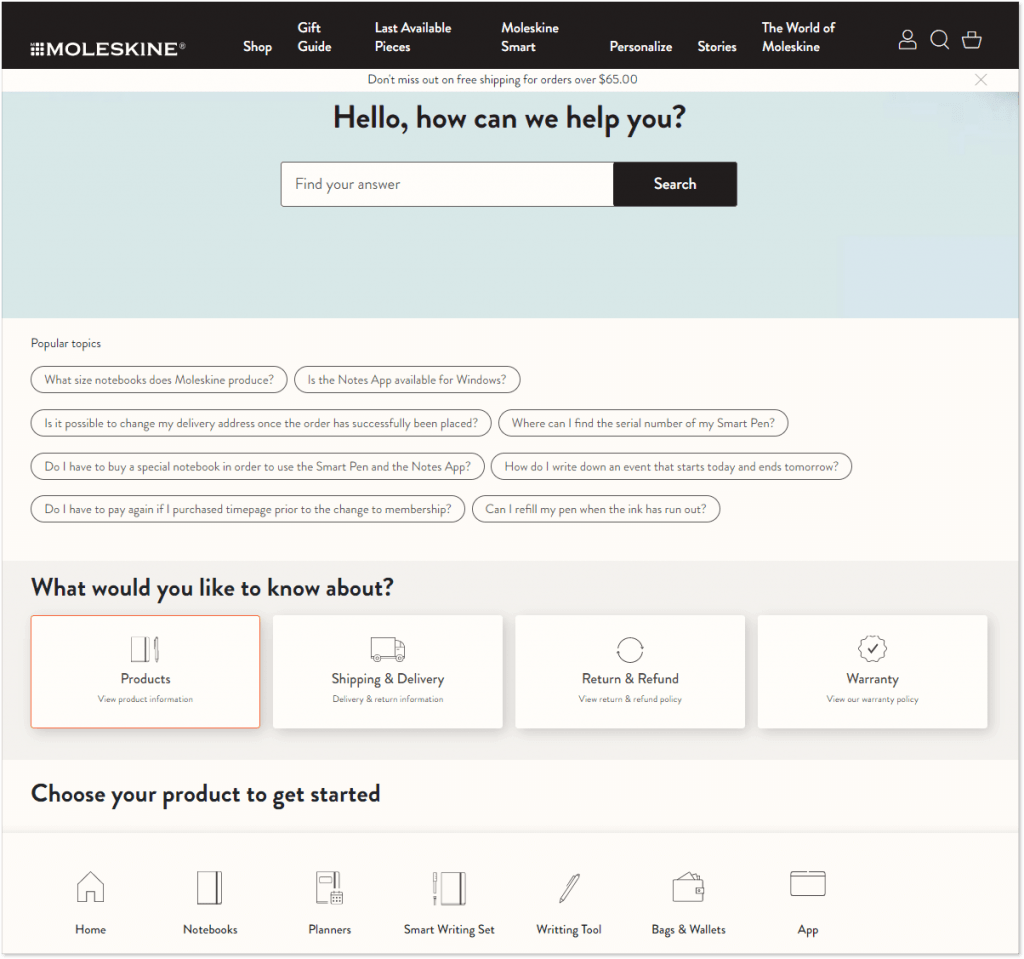
[Image Source: Moleskine.com]
Make sure your FAQ is easy to find. Link to it in your header, on product pages, and in order confirmation emails. When answers are easy to access, customers are far more likely to help themselves instead of reaching out for support.
4. Simplify Your Returns Process
This might sound counterintuitive, but making returns easy actually reduces overall refund costs. When customers face complicated return processes, they often dispute charges with their credit card company instead. Chargebacks cost significantly more than standard WooCommerce refunds and can damage your payment processing relationships.
Publish a clear, fair return policy and make it easy to find. Specify timeframes, condition requirements, and the exact steps customers need to follow. Remove ambiguity that leads to confusion and frustration.
Consider offering exchanges or store credit as alternatives to full refunds. Many customers simply chose the wrong size or color and would happily swap for the correct item rather than abandoning your brand entirely. Make this option prominent and frictionless.
When customers do request refunds, process them quickly. Delayed WooCommerce refunds generate follow-up tickets, negative reviews, and chargebacks. A fast refund with a friendly message leaves the door open for future purchases, while a slow, painful process guarantees you’ve lost that customer forever.
One Plugin With Complete RMA Solution
5. Quality Control at the Source
Even the best communication can’t make up for sending the wrong item or shipping a defective product. When quality slips, WooCommerce refunds are fully justified, and the damage to your reputation can be difficult to undo.
That’s why basic quality checks before an order ships are so important. Confirm the item matches what was ordered, look for visible defects or damage, and make sure the packaging can handle transit. Spending a few extra minutes at this stage can save hours of back-and-forth later and protect your relationship with the customer.
If you rely on suppliers or dropshipping partners, quality control still falls on you. Ask for samples on a regular basis, watch customer feedback closely, and look for repeated issues. If quality starts to decline, be ready to change suppliers. Every product that goes out under your brand reflects directly on your business, no matter who made it.
6. Identify Problem Products
Your WooCommerce analytics contain valuable signals about which products generate the most issues. Track refund rates by SKU and investigate outliers. A product with a 15% refund rate deserves immediate attention, whether that means improving the listing, adjusting the price, or removing it from your catalog entirely.
Similarly, analyze support tickets for patterns. If a specific product generates constant sizing questions, your size chart needs improvement. If customers frequently ask about compatibility, your product description lacks crucial information.
This data-driven approach lets you fix problems systematically rather than playing whack-a-mole with individual complaints. Small improvements to problematic products cascade into significant reductions in WooCommerce refunds and support volume.
7. Act on Customer Feedback
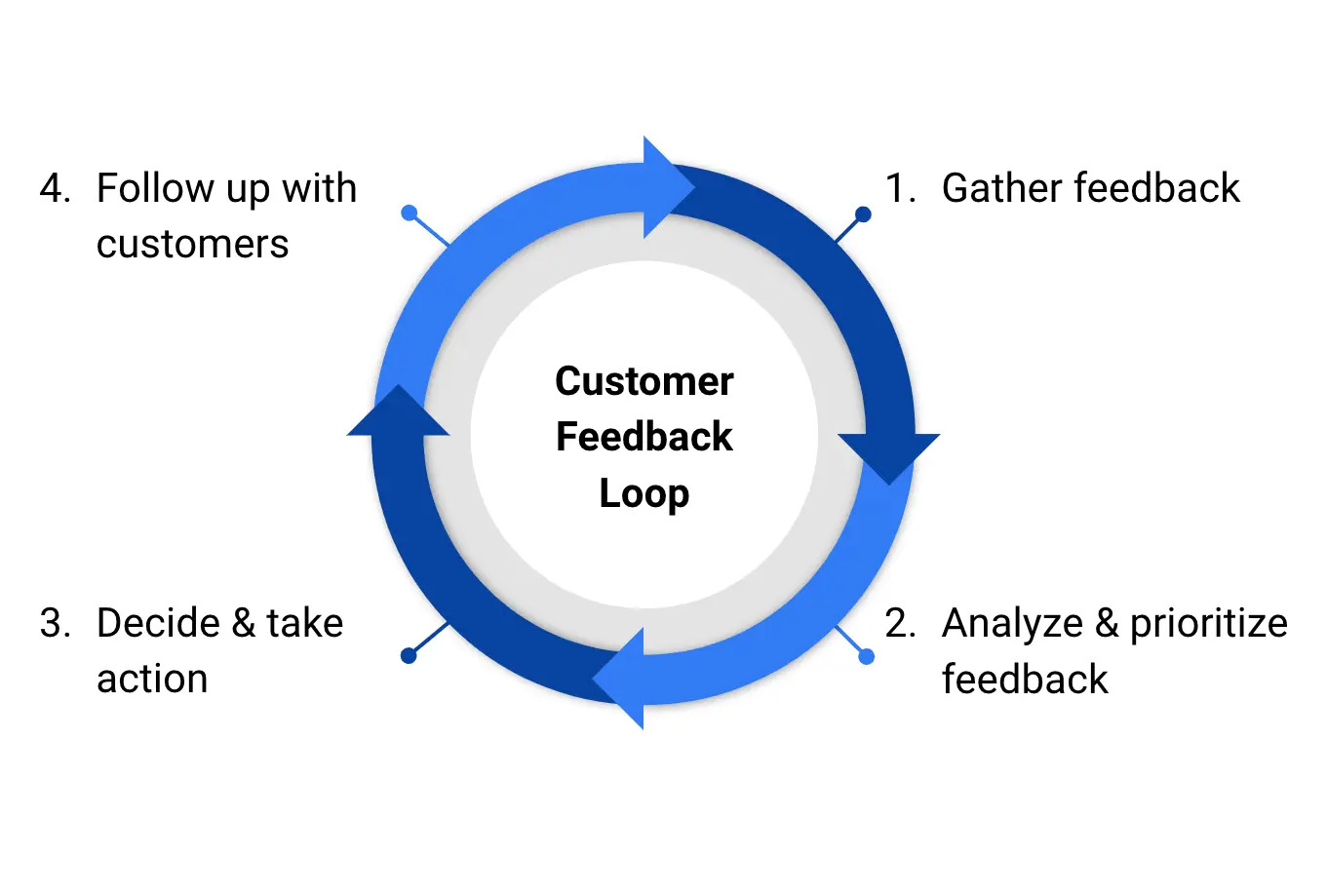
Don’t wait for customers to complain. Actively solicit feedback after purchases to catch issues early. A simple post-delivery email asking about their experience gives dissatisfied customers a private channel to voice concerns before they escalate to refund requests or negative reviews.
[Image Source: Canvas.io]
Final Words
Each of these strategies helps on its own, but they work best when you put them together. Clear product pages reduce the chance of customers buying the wrong thing. Proactive updates calm post-purchase anxiety. Self-service help cuts down on repetitive questions. Quality checks prevent valid complaints. Looking at your data helps you keep improving instead of guessing.
Over time, these efforts add up. Support volume drops, which gives you more time to focus on growth. Refund rates fall, which protects your margins. Customer satisfaction improves, leading to better reviews and more word-of-mouth referrals. Your WooCommerce store shifts from constant damage control to something far more stable and scalable.
The stores that last aren’t always the ones with the cheapest prices or the flashiest products. They’re the ones that pay close attention to the customer experience and put systems in place to stop problems before they happen. That kind of advantage takes time to build and is hard for competitors to copy.
You don’t have to do everything at once. Pick one area to work on this week. Improve a product listing that causes confusion, add clearer shipping updates, or write answers to your five most common support questions. Small changes create momentum, and momentum leads to real progress.
When refund requests slow down and your inbox feels manageable again, you’ll be glad you started.
About the Author: Mohd Talib