


No-shows take a toll on online booking websites, whether it is healthcare providers, salon owners, or hoteliers. Missed appointments are more than just a scheduling inconvenience; they lead to significant revenue loss. How to reduce no-shows? This should be the top priority for all online appointment booking industries.
Good News? Technology advancements and implementing the right strategies have made it possible to eliminate the issue of no-shows.
In A Hurry? Here’s A Brief Summary…
- The average no-show rate for reservations in big cities is 20%.
- 42% hoteliers have started taking pre-paid reservations.
- The primary reasons for no shows are forgetting about the appointment (33%), lack of clear communication (31.5%), and transportation barriers (21%).
- Approximately $150 billion in revenue is lost annually due to no-shows in appointments.
- No-show rates increase during the winter months.
- When the lead time (the period between the booking and the appointment visit) exceeds two weeks, the probability of no-shows increases.
- The typical no-show rates for salons & spas are 10%-20%.
- The rule of 2 reminders is effective (sending a sequence of reminders 2 weeks before the appointment, then 2 days before the appointment, then finally on the day of the appointment) to enhance attendance.
This is an ultimate guide to reducing no-shows. Why is it so important to reduce no-shows? It results in fewer empty slots and more reliable schedules. No-shows don’t just result in losses, but also waste staff time, and further frustrate customers who could have taken the cancelled appointments.
In This Blog, We Will Talk About…
(Jump to the section that interests you the most!)
What Causes No-Shows For Online Booking Appointments?
Missed appointments and back-and-forth in scheduling takes up more time and manpower than required. It is important to understand the core causes to reduce no-shows. While some reasons for no-shows can be predictable, there are other factors to be considered.
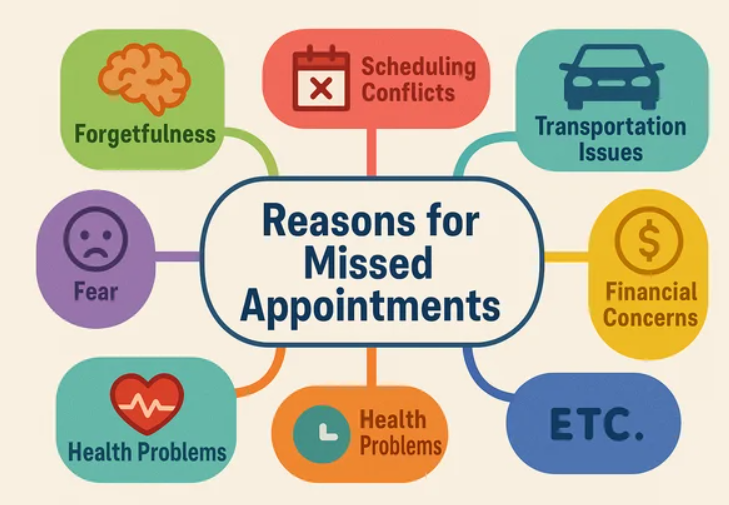
1. Forgetfulness
This is the most common cause for no-shows. Customers make the booking far in advance, and then lose track of the date. Reduce no-shows by sending reminders before the appointment. Some customers are also seen making multiple appointments and then attending the one that is more convenient to them.
2. Double Bookings
Many online appointment websites face this issue. What usually happens? Your staff accepts a phone booking for the same slot that someone has already booked through your website. Results? Confuses customers and makes them trust you less.
3. Lack of Confirmation or Reminders
When a customer makes a booking with you but receives no confirmations or follow-ups, they assume they can skip the appointment. Reduce no-shows significantly by just sending follow-up emails before the booking.
4. Complicated Booking Experience
Some customers also get overwhelmed with the complexity of their online bookings. If the online booking process requires calling during office hours, filling out long booking forms, or waiting for confirmation emails, customers give up. Some even forget to complete the booking process. Reduce no-shows by making the booking process simple for the customers.
5. Friction in Appointment Rescheduling or Modifications
Customers often face difficulties when they reschedule, cancel or modify their bookings. Resulting in no-shows. Online booking websites can reduce no-shows by providing simplified booking experiences, where users can reschedule/modify bookings with ease.
The key to running a successful online booking system is addressing these issues directly without beating around the bush.
How A Booking System Easily Reduce No-Shows? (With Examples)
A good booking system for service providers is more than a digital appointment calendar.
A booking solution not only streamlines and automates all your bookings but also helps you eliminate administrative overheads, minimise errors such as double bookings, improve proper resource allocation, and most importantly, reduce no-shows.
Let us understand the importance of having a good booking system with very basic examples –
1. Doctor’s Clinic
Imagine this scenario: A patient books a 10:00 AM appointment. The patient doesn’t come and doesn’t inform the clinic. How does the clinic reduce no-shows?
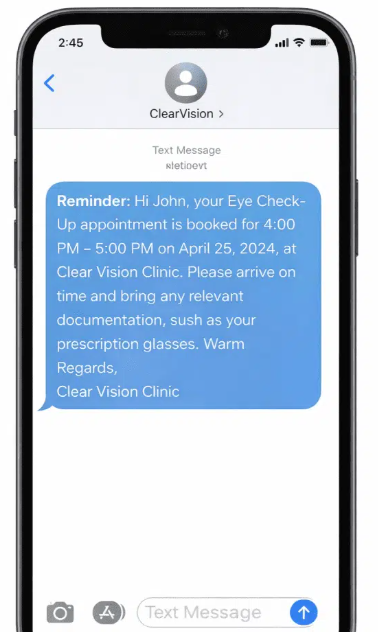
Automated email and SMS reminders help reduce the number of missed appointments. Results? More patients remember and attend their booked appointments.
2. Salon or Spa
Imagine: A customer books a haircut for Saturday. The customer doesn’t arrive due to other commitments or goes for a better option elsewhere. How does the spa reduce no-shows in such cases?
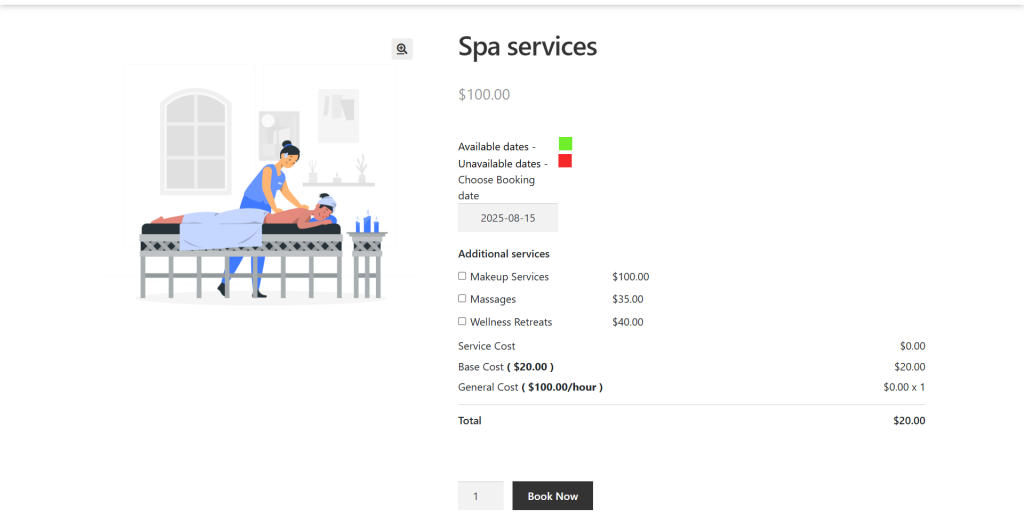
The salon asks for a small advance payment, and customers are more likely to show up or cancel early, or spas can also include tiered packages (including additional services like massages or a wellness reset at a very nominal rate).
3. Hotel Reservations
Imagine: Guests book a hotel room. On the day of the booking, the guests fail to check in. Why? They must have gotten a better price elsewhere or cancelled their travel. How do hotels reduce no-shows in such cases?
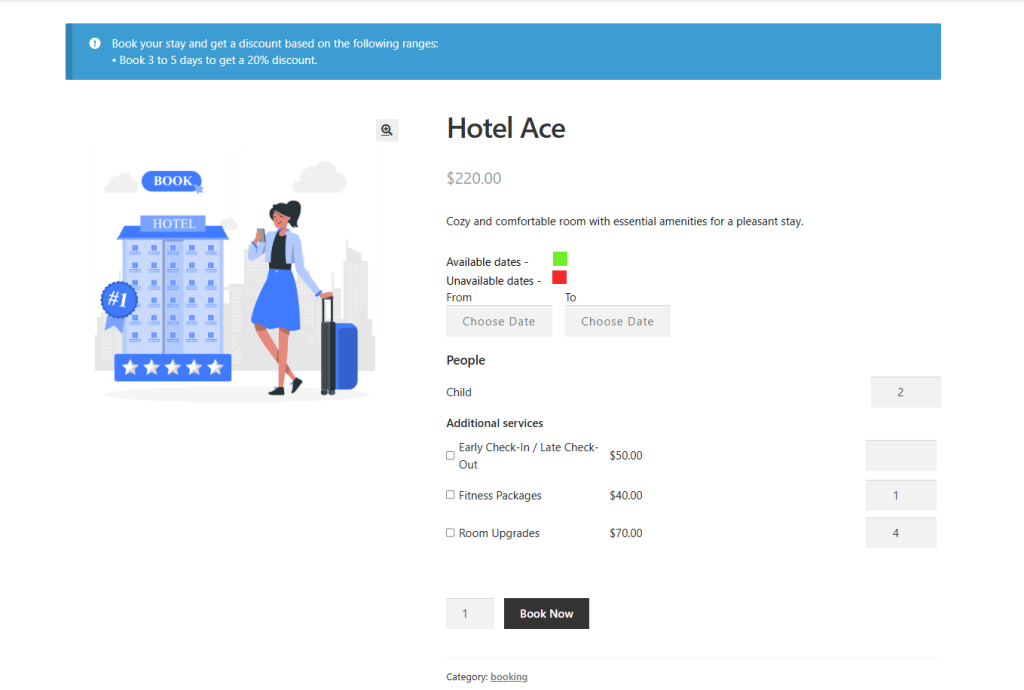
A hotelier requires a credit card guarantee, so the room is charged if the guest doesn’t arrive. Or if they can also provide special last-minute appointment discounts. For example, offer a $20 discount for 1-5 days, and a 30% discount for 5-10 days. This strategy will definitely motivate customers to extend their stay and increase your revenue over time.
4. Online Seminars or Classes
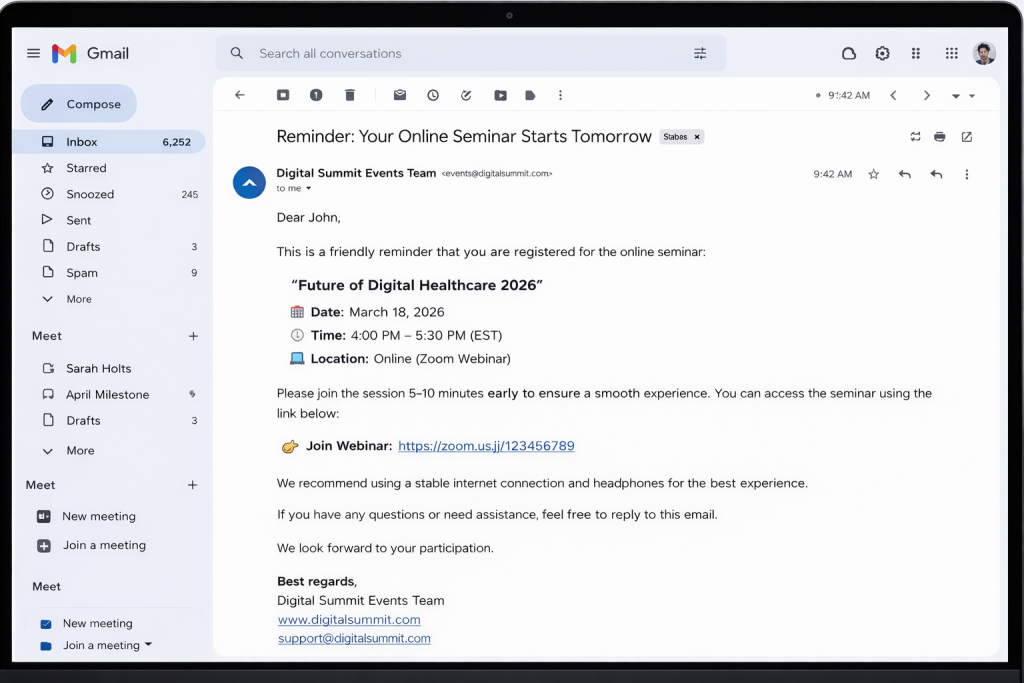
Imagine: An individual has booked an online seminar or classes with your booking website. On the day of the seminar, they don’t join the session. How do you reduce no-shows in such cases?
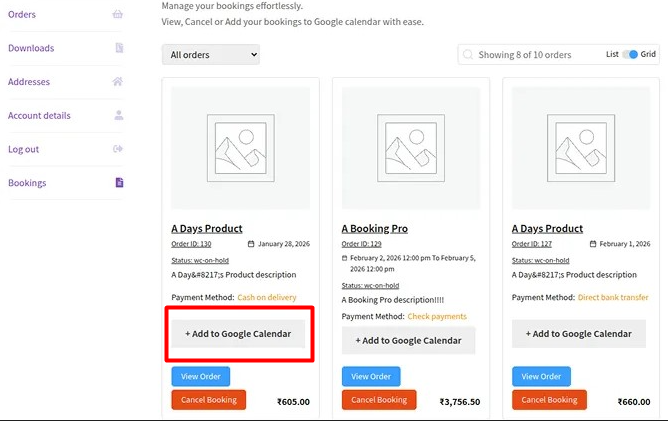
You can give them the option to add the upcoming seminar to their Google Calendar in just a single click. This will help them remember the date of the seminar, and they will join the same on time. You can also send email reminders + a calendar invite.
Proven Tips To Maximise Results From Your Booking System
Don’t see your industry or business type in the listicle mentioned above? Don’t worry, because this section is curated especially for you…
No matter what your business type is, the Booking management system includes functionalities, special last-minute appointment offers that any online booking website can easily incorporate to solve booking headaches (issue of no-shows) that almost all online booking websites face daily, and reduce no-shows from the core.
Here are some proven tips to maximise results from an online booking system –
1. Send Email/SMS Reminders
Reminder emails/SMS can be sent with ease by utilising the unique template and the shortcodes available on the WooCommerce bookings plugin. Reminder emails and SMS help you manage last-minute appointments will give you the extra edge that you need to get ahead of the competition.
2. Take Payments Upfront
To reduce no-shows in booking businesses by taking the payments upfront (i.e., while the customers make the bookings) or taking some type of payment security like credit card details.
3. Integration With Google Calendar
This functionality of the WooCommerce bookings plugin smoothly runs the booking process for both admins and customers. Once the booking order status is processed, it is reflected in their Google calendar, which is also important for last-minute appointments. The customers can also add their upcoming booking appointments to their Google Calendar. This functionality eliminates confusion regarding booking appointments and also reduce no-shows.
4. Centralised View For Bookings
Customers reported facing difficulties when they reschedule, cancel or modify their booking appointments. Online booking websites can reduce no-shows by providing simplified booking experiences, where users can reschedule/modify bookings with ease.
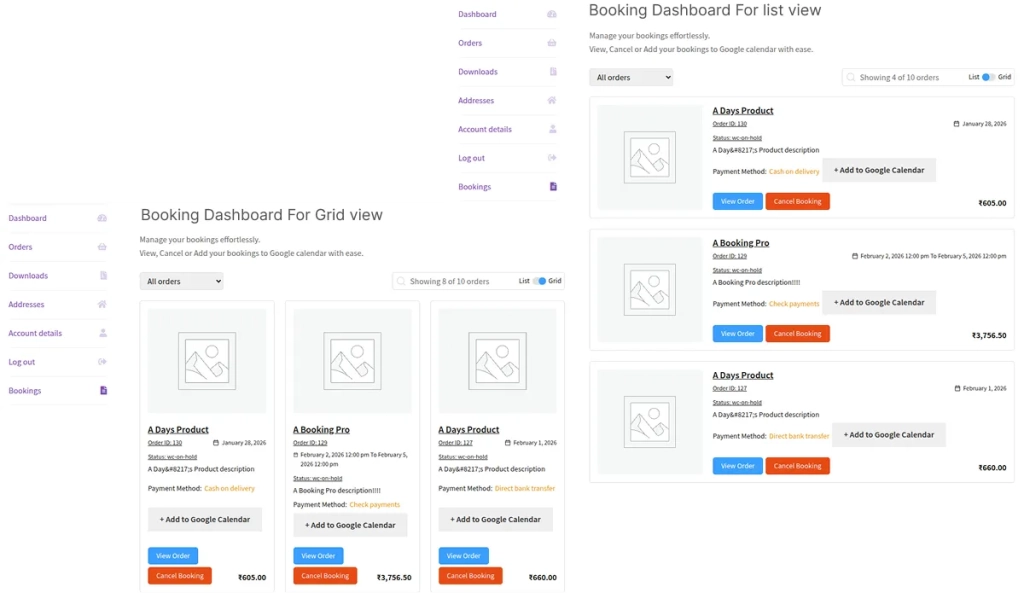
Customers can view their last-minute appointments in a centralised manner using the booking system. They can see the name of the booking product (which is clickable), the payment method they used, the option to add the booking to their Google Calendar, the booking status, and the cancellation option (if the merchant has enabled that functionality).
5. Customer Booking Assistance
Online booking managers effortlessly manage their registered customers’ last-minute appointments on their behalf from the backend. This option of WooCommerce Bookings allows you to serve your customers, acting as their booking agents. Just traverse to the booking system’s back-end settings tab & easily manage your customer bookings.
6. Auto-Reject Unpaid Bookings
Merchants can set a time limit for unpaid WooCommerce bookings using this functionality. If payment isn’t completed within the specified days, the booking is automatically rejected, freeing up slots for other customers. This also eliminates the fear of loss, as it reduces no-shows.
Get Access To These Features!!!
How Bookings for WooCommerce Helps You Beyond Ordinary Booking Tools?
You can design an extremely functional and easy-to-use online booking system with WP Swings WooCommerce Bookings for WooCommerce, our top pick, that will make your customers extremely happy. We have features lined up that reduce no-shows without putting any extra administrative burden.
An efficient booking system is no longer a luxury, but a necessity for online booking hubs. These systems not only fills up your booking calendars and reduce no-shows; they also ensure a smoother experience for both businesses and customers. Whether you run a spa or salon, manage a healthcare clinic, teach classes online, or offer professional freelance services, Bookings for WooCommerce is the key to streamlined bookings!
Frequently Asked Questions (FAQs)
1. How to avoid a no-show fee?
As a customer, ensure you attend the appointment or cancel the booking 24 hours in advance. If an emergent situation comes up, inform your service provider to waive the cancellation fee.
2. How to reduce no-show rates in outpatient clinics?
There is nothing that disrupts clinic workflows more than missed appointments, and increases no-show rates in healthcare. The appointment booking system allows you to send reminder emails/SMS with ease by utilising the unique template and the shortcodes available on the backend. Reminder emails and SMS will give you the extra edge that you need to get ahead of the competition.
3. How would you handle frequent appointments with no-shows?
These are some of the ways to handle frequent appointments with no-shows –
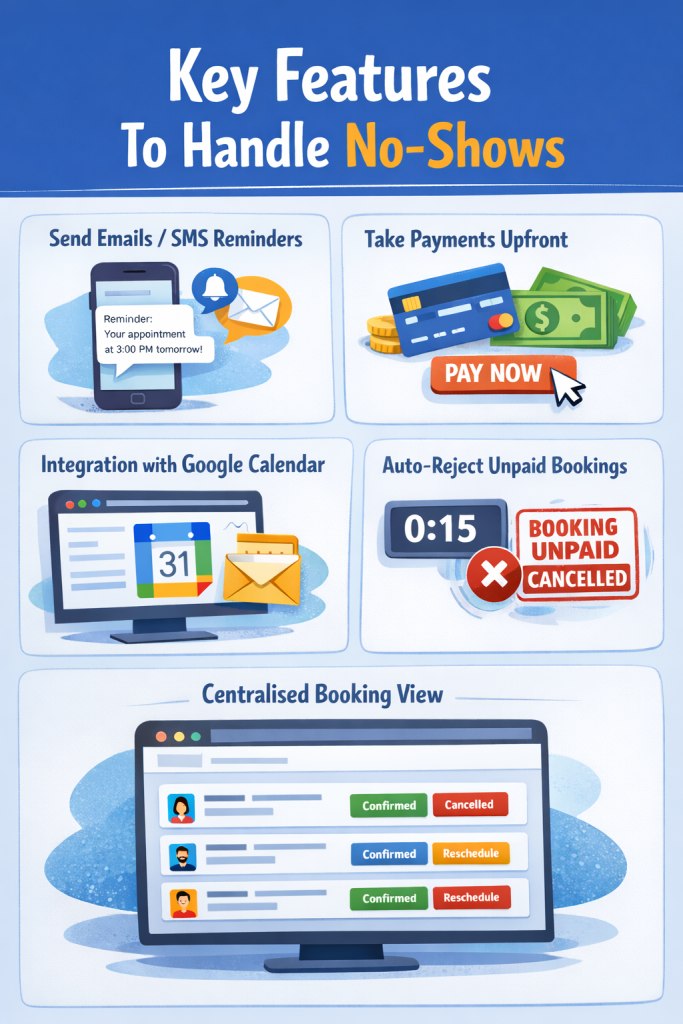
- Send emails/SMS reminders
- Take payments upfront
- Integration with Google Calendar
- Auto-reject unpaid bookings after a specified time
- A centralised view for bookings to easily cancel the bookings
4. How to deal with no-show clients?
The best way to deal with a no-show appointment is to require payments upfront (i.e., while the customers make the bookings) or to take some type of payment security like credit card details.
About the Author: Muskaan Sabarwal