


Running a small business today means juggling leads, emails, invoices, and follow-ups all at once. This is where Zoho Bigin becomes useful. It is a simple CRM built for small teams that want to stay organized without dealing with complex tools.
But Bigin becomes much more powerful when you connect it with the apps you already use. These connections are called Zoho Bigin integrations. They help your tools talk to each other so you don’t have to move data manually.
For example, a new lead from a form can go straight into your CRM, or an invoice can be created automatically when a deal is closed.
In this guide, we will break down how Zoho Bigin integrations work, why they matter for small businesses, and how you can use them to automate your sales and customer management without adding extra workload.
We will also look at real use cases like connecting email, forms, accounting tools, and automation platforms. The goal is simple: help you save time, reduce errors, and close more deals with less effort.
Glossary (Simple Terms You’ll See)
- Zoho Bigin: A lightweight CRM tool designed for small businesses to manage leads, deals, and customer interactions.
- CRM: CRM (Customer Relationship Management) is a system that helps you store customer data, track conversations, and manage sales.
- Integration: A connection between two tools so they can share data automatically.
- Pipeline: A visual way to track where each deal is in your sales process.
- Lead Capture: The process of collecting contact details from potential customers using forms or landing pages.
- Automation: Setting up rules so tasks like emails, updates, or data entry happen automatically.
- Toppings (in Bigin): Built-in add-ons inside Zoho Bigin that extend its features without needing external tools.
- Third-Party Tools: External platforms like Zapier or Zoho Flow that help connect different apps.
- Sync: Keeping data updated across multiple tools in real time or at regular intervals.
What Are Zoho Bigin Integrations?
Zoho Bigin integrations are connections between Bigin and other tools you use in your daily business. These connections allow data to move automatically from one app to another, so you don’t have to copy, paste, or update things manually.
Zoho Bigin Integrations make your CRM the central place where everything comes together.
For example, if someone fills out a form on your website, their details can go directly into Bigin as a new lead. If you send emails through Gmail, those conversations can be linked to the same contact inside your CRM. This keeps all your customer information in one place without extra effort.
Integrations can be of two main types:
- Native integrations: These are built directly inside Bigin. You can connect tools like email or calendars with just a few clicks.
- Third-party integrations: These use platforms like Zapier or Zoho Flow to connect Bigin with other apps that are not available natively.
The main goal of Zoho Bigin integrations is to reduce manual work and keep your data updated across all tools.
Instead of switching between multiple apps, you get a smoother workflow where everything is connected and easy to manage.
How Zoho Bigin Integrations Help Small Teams
For small teams, time and resources are always limited. You cannot afford to spend hours on manual data entry or switching between tools. This is where Zoho Bigin integrations make a real difference.
When your apps are connected, your daily work becomes faster and more organized. Instead of updating the same information in multiple places, everything syncs automatically. This reduces errors and keeps your data clean. One of the biggest advantages is saving time on repetitive tasks.
For example, leads captured from forms can go directly into your CRM, emails can be tracked without extra effort, and follow-ups can be automated. This means your team can focus more on selling and less on admin work. Integrations also improve team visibility.
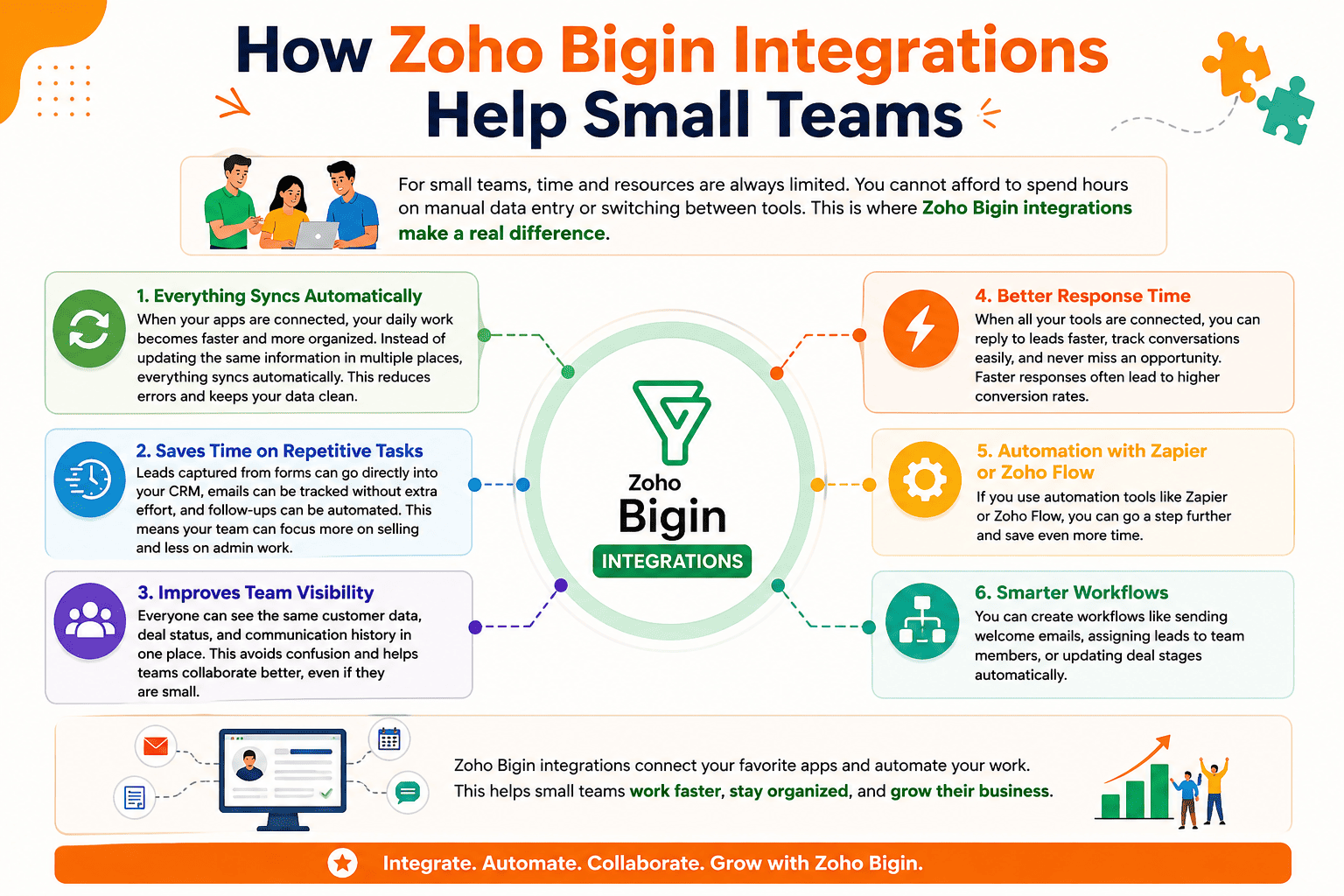
Everyone can see the same customer data, deal status, and communication history in one place. This avoids confusion and helps teams collaborate better, even if they are small.
Another key benefit is better response time. When all your tools are connected, you can reply to leads faster, track conversations easily, and never miss an opportunity.
Faster responses often lead to higher conversion rates. If you use automation tools like Zapier or Zoho Flow, you can go a step further.
You can create workflows like sending welcome emails, assigning leads to team members, and more.
Core Use Case: Automating Sales Pipelines
With Zoho Bigin integrations, your sales pipeline can run almost on autopilot. Instead of manually moving deals, updating records, or sending follow-ups, you can set up workflows that handle these tasks for you. This helps small teams stay consistent and close deals faster without extra effort.
Key Zoho Bigin Integration for Small Businesses
Google Workspace (Gmail, Calendar, Sheets): Connecting Google Workspace with Bigin keeps your communication and scheduling in sync.
- Sync emails from Gmail directly with contacts and deals
- Schedule meetings using Google Calendar and link them to your pipeline
- Store and manage data using Google Sheets for reporting or bulk updates
- Track conversations without switching between tools
Forms Integration: Lead capture tools help you collect customer data and send it straight into your CRM.
- Use Zoho Forms to capture leads directly into Bigin
- Connect Jotform for flexible form creation
- Use Typeform for better user experience
- Automatically create leads or contacts when a form is submitted
- Reduce manual data entry and avoid missing leads
QuickBooks, and Other Integrations: If you use other accounting tools, you can still connect them using automation platforms.
- Integrate QuickBooks and Xero with Bigin
- Use Zapier or Zoho Flow to create workflows
- Automatically create invoices when deals are closed
- Sync customer and transaction data across tools
- Reduce manual errors in financial records
WooCommerce Integration: Integration with an eCommerce can be done easily with a dedicated WooCommerce plugin, such as WP Swings Integration for Bigin plugin, which offers features such as:
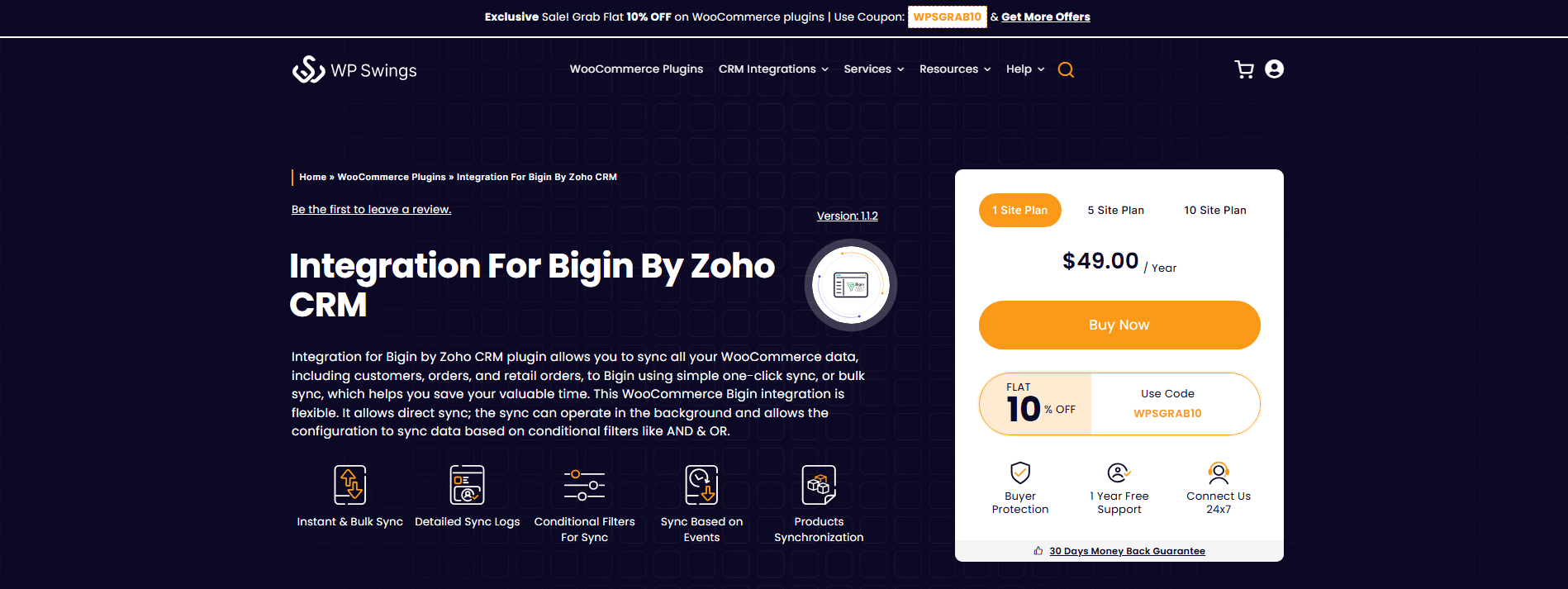
- Synchronization of Product Details
- Pipeline Synchronization
- Synchronization of Contact Details
- Sync Data With Conditional Filters
- Synchronization of abandoned carts and much more
Easily Synchronize Your WooCommerce Store’s data With Our Bigin Integration Plugin
Native Toppings vs Third-Party Automation
When working with Zoho Bigin integrations, you usually have two options: using native “Toppings” or relying on third-party automation tools. Toppings are built directly inside Bigin, so they are easy to set up and do not require technical skills.
They are best for simple tasks like email syncing, basic workflows, and small automation needs. Everything stays within the CRM, which makes it easier to manage for small teams.
On the other hand, third-party tools like Zapier, Zoho Flow, or Make give you more flexibility. They allow you to connect Bigin with a wider range of apps and create more advanced workflows. This is useful when your business uses multiple tools or needs custom automation across different platforms.
The choice depends on your needs. If you want something quick and simple, native toppings are usually enough. But if you need deeper integrations, multi-step workflows, or connections with non-Zoho apps, third-party automation tools are a better fit.
How Zoho Bigin Integrations Improves Customer Management
With Zoho Bigin integrations, customer management becomes much more organized and efficient. Instead of handling customer data across different tools, everything comes into one central system.
This helps you track every interaction, respond faster, and maintain a clear view of each customer’s journey. When your CRM is connected with communication, sales, and support tools, you reduce confusion and deliver a smoother experience.
- Centralized customer data: Keep emails, calls, form responses, and deal details in one place for a complete view
- Better communication tracking: Sync conversations from tools like Gmail and WhatsApp so nothing gets missed
- Faster response time: Access all customer info quickly and reply without switching between apps
- Consistent customer experience: Ensure every team member sees the same updated information
- Linked sales and support: Connect deals, orders, and support requests to avoid losing context
- Improved follow-ups: Use automation to send timely updates and reminders
This setup helps small teams manage customers more professionally while saving time and reducing manual effort.
Conclusion
Zoho Bigin integrations can turn a simple CRM into a complete system for managing sales and customers. Instead of working with disconnected tools, you bring everything together and let your processes run smoothly in the background.
For small businesses, this means less manual work, fewer errors, and more time to focus on what actually matters: building relationships and closing deals. Whether you are capturing leads from forms, syncing emails, or connecting accounting tools, each integration removes a small piece of friction from your workflow.
The key is to start simple. Use native features where possible, and then expand with tools like Zapier or Zoho Flow as your needs grow. You do not need to automate everything at once. Even a few well-placed integrations can make a big difference.
In the end, Zoho Bigin integrations help you stay organized, respond faster, and create a better experience for your customers without increasing your workload.
Frequently Asked Questions (FAQ’s)
Is Bigin easy to use?
Yes, Zoho Bigin is designed to be very easy to use, especially for small teams. It has a simple interface, focuses only on essential features, and avoids unnecessary complexity. This makes it a good starting point for businesses moving from spreadsheets to a CRM.
How much does Bigin cost?
Bigin is known for its affordable pricing. It typically starts at around $7 per user per month, with higher plans offering more features like automation and integrations. It also offers a free trial so you can test it before committing.
Is Bigin a part of Zoho?
Yes, Bigin is part of the Zoho Corporation ecosystem. It is built by the same company that created Zoho CRM and other Zoho apps. In fact, Bigin is considered a simplified, pipeline-focused CRM developed specifically for small businesses.
Which is better, Zoho CRM or Zoho Bigin?
It depends on your business needs.
- Choose Zoho Bigin if you want something simple, affordable, and easy to set up
- Choose Zoho CRM if you need advanced features, deep automation, and scalability
Bigin is better for small teams, while Zoho CRM is better for growing or larger businesses with complex workflows.
What is the Difference between Zoho CRM and Zoho Bigin?
The main difference between Zoho CRM and Zoho Bigin comes down to complexity, features, and who they are built for.
Zoho CRM is a full-featured platform designed for growing and large businesses that need advanced automation, deep customization, and detailed reporting. It supports complex sales processes, multiple teams, and a wide range of integrations.
On the other hand, Bigin is a simpler, pipeline-focused CRM made specifically for small businesses and startups. It focuses on essential features like contact management, deal tracking, and basic automation, making it easier to set up and use without technical knowledge.
About the Author: Mohd Talib







That’s a really smart point about simplifying workflows. I’ve struggled with managing multiple apps, so a CRM with strong integrations would be a huge help.