Many WordPress users don’t realize how much time they waste on repetitive tasks.
Say, you run a WordPress website. Think about your daily workflow. Someone submits a form on your website. You manually copy the form data into Google Sheets or add it to your email list. When a customer buys a product, you send a thank-you email and update your CRM.
These tasks individually might seem too little to do. But when you have to do them multiple times every day, it soon becomes exhausting. The more your business grows, the more time these manual processes steal from you. Exactly, that’s when WordPress automation plugins step in. They connect different tools and automate your business workflows so everything runs in the background.
In This Blog, We Will Talk About…
(Jump to the section that interests you the most!)
For years, many businesses relied on tools like Zapier for workflow automation. But as automation needs grow, the costs grow too. Due to its task limits, monthly plans, and extra steps, daily automation became too expensive for small and growing businesses. This is why today I’ll be listing some of the most Affordable WordPress automation plugins for 2026. These tools help businesses automate everyday tasks, save time, and keep their automation budget under control.
What Is WordPress Automation?
Okay, let’s start from the basics. WordPress automation primarily involves using WordPress plugins to automate repetitive tasks without doing anything manually. They act on this mechanism like “When this happens, do that.”

For example, when someone fills out a contact form, automatically add them to your email list and send them a welcome message. That is automation in action. No manual work at all.
Why Do Businesses Need Automation Plugins in 2026?
Sooner or later, every business is adapting to automation. Since it is essential for the growth of modern businesses. Customers expect faster responses. If your confirmation email or follow-up takes hours, they will not think twice about moving to another brand.
However, with automation tools, you don’t have to worry about it anymore. They handle all the mundane tasks perfectly.
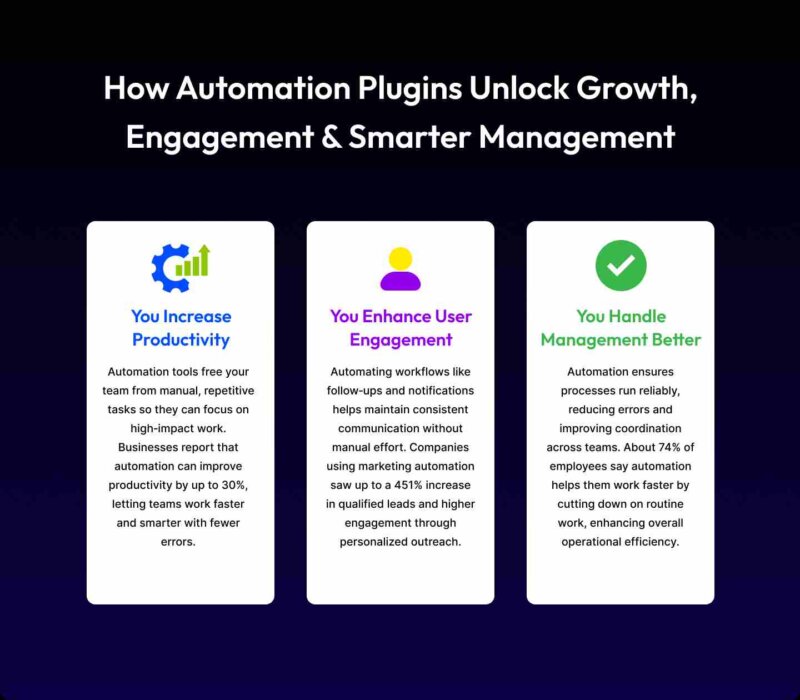
Automated workflows boost productivity by eliminating manual data entry and human error. Moreover, you get to scale your operations by handling more sales, leads, and content without hiring extra staff.
To save you from losing customers, time, and money, and to ensure your routine tasks run smoothly, automation is mandatory.
Most Affordable WordPress Automation Plugin
Before we review each plugin in detail, let’s first look at a quick comparison. The table below gives a quick comparison of the affordable WordPress automation plugins featured in this guide. It highlights their starting price, lifetime deals, and the best feature of each one.
Today, several WordPress automation tools promise to simplify workflows and connect your favorite plugins. But pricing, integrations, and flexibility vary a lot between them. Some focus on deep CRM connections. Others specialize in multi-step workflows or plugin integrations.
Now, let’s move on to the next section of the blog. There, we break down the core features, strengths, and limitations of each plugin.
| Plugin | Automation Feature | Starting Pricing | Lifetime Pricing |
|---|---|---|---|
| Bit Flows | Multi-step workflow automation tool with AI agents; n8n/Zapier alternative in WordPress | $119/year (1 site) | Yes,$179 (Lifetime support) |
| Bit Integrations | No code WordPress plugin that connects with 320+ platforms | $39/year (1 site) | Yes, $99 (Lifetime support) |
| AutomatorWP | No-code trigger-action automation plugin that connects 200+ WordPress plugins and apps | $149/year (2 sites) | No lifetime plans |
| Uncanny Automator | Workflow automation plugin connecting 170+ plugins and 65+ external apps | $149/year (1 site) | No (annual only) |
| WP Fusion | Marketing automation plugin that connects 100+ plugins with 60+ CRM and marketing platforms | $297 (1 site) | Yes, $999 (3 years support) |
1. Bit Flows- The Perfect n8n/Zapier Alternative Inside WordPress
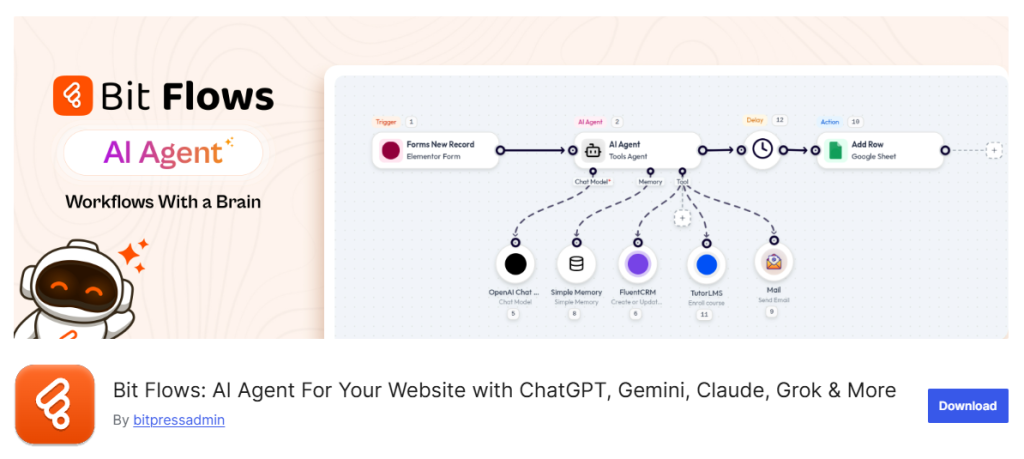
Bit Flows is a powerful multi-step workflow automation tool powered by AI. It is a self-hosted automation plugin designed for WordPress users who want advanced automation without relying on external platforms.
Its visual drag-and-drop canvas allows you to create complex workflows connecting different plugins, apps, and services. The plugin also offers advanced logical tools like routers, loops, delays, and more, so building complex automation processes for real business tasks becomes even easier.
Once a workflow is set up, it can run unlimited times without task limits or per-run charges. This makes it a practical option for businesses that want automation without worrying about usage-based pricing.
The one feature that makes Bit Flows more interesting than other automation tools is its AI Agent integration. It allows you to create AI-powered workflows that can evaluate information, apply conditions, and trigger different actions depending on the situation. Technical SEO services make it possible to automate critical backend tasks like content generation, SEO meta description creation, dynamic form processing, and WooCommerce operations. By optimizing server performance, crawlability, and site architecture, these services ensure everything runs smoothly on your own server—giving businesses full control over their data, automation workflows, and overall website performance while improving search engine visibility. For teams that need powerful WordPress workflow automation without depending on costly cloud platforms, Bit Flows provides a flexible and scalable solution.
Key Features
- Drag-and-drop visual canvas
- Automate without limits: Build unlimited workflows, and execute unlimited flows, tasks, and steps.
- Integrates with 310+ platforms
- Creates multi-step workflows using advanced logical tools( router, delay, repeater, loops, and more)
- Creates AI-powered workflows, integrates AI models to help generate workflows, analyze data, or automate content-related tasks.
- Schedule actions or add time-based delays so automations run exactly when required.
- Set conditions and filters to control when specific actions should trigger.
- Custom app option to create your own integration that is not available.
Pricing Analysis
| Plan | Annual Pricing | Lifetime Pricing | Sites |
|---|---|---|---|
| Starter | $119/year | $189/one-time | 1 site |
| Plus | $179/year | $299/one-time | 5 sites |
| Developer | $239/year | $429/one-time | 50 sites |
| Agency | $321/year | $579/one-time | 100 Sites |
2. Bit Integrations- No-Code WordPress Integration Plugin
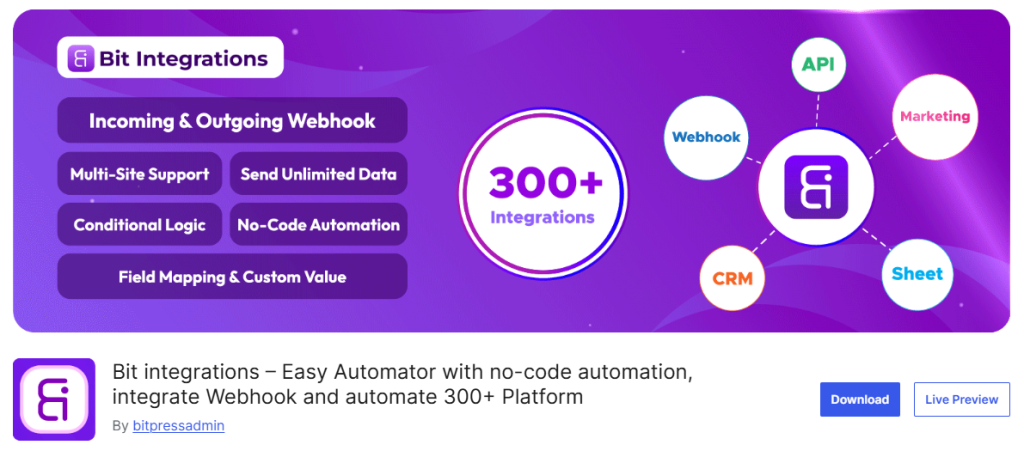
Bit Integrations is a no-code WordPress automation plugin that transfers WooCommerce orders, form data, and membership info to over 320+ platforms. These platforms include Google Sheets, popular CRMs, email marketing tools, LMS, and more.
This integration plugin sends unlimited data across these platforms following 3 simple steps: Select a trigger→Select an Action→Field Mapping.
Moreover, its user-friendly dashboard makes it easier to connect triggers to actions. It’s especially good for eCommerce and marketing workflows where you need a lot of connectors but don’t want to touch code.
Key Features
- No-code automation
- Send unlimited data across 320+ platforms
- Incoming and outgoing webhooks
- Use conditional logic to control when automations should run based on specific data conditions.
- Send and receive data through incoming and outgoing webhooks for advanced integrations.
- Create custom triggers and custom PHP actions to extend automation beyond built-in integrations.
- Easy field mapping between platforms, including custom values.
Bit Integrations Pricing Analysis
| Plan | Annual Pricing | Lifetime Pricing | Sites |
|---|---|---|---|
| Starter | $39/year | $109/one-time | 1 site |
| Agency | $99/year | $397/one-time | Unlimited Sites |
3. Automator WP- Automator Plugin For No-code Automation
AutomatorWP is another automation plugin that connects 200+ WordPress plugins and platforms to create automated workflows. It is an open-source automation tool that comes with various add-ons that extend the functionality of the plugin.
It also works in the same trigger-action process as Bit Integrations. When a specific event happens (like a user making a purchase), it triggers an action (like sending an email or adding a membership).
This allows you to automate tasks related to sales, marketing, learning platforms, and site management. Reducing manual work while keeping different plugins working together smoothly.
Key Features
- Create workflows with a no-code workflow builder
- Integrate with 200+ WordPress plugins and platforms through add-ons and integrations.
- Use unlimited triggers and actions to create complex automations.
- Create automations for logged-in users or for anonymous visitors.
- With scheduled and recurring automations, you can run automations at a specific time or repeatedly for many users.
- Set completion limits and conditions to control when automations should run.
- Developer-friendly provides hooks to add custom functionalities.
AutomatorWP Pricing Analysis
| Pass | 1-year Pricing | 3-year Pricing | 5-year Pricing | Sites |
|---|---|---|---|---|
| Personal pass | $149/year | $359/3-year | $449/5-year | 2 sites |
| Professional pass | $249/year | $599/3-year | $749/5-year | 10 sites |
| All Access pass | $499/year | $1199/3-year | $1499/5-year | Unlimited Sites |
4. Uncanny Automator- Popular WordPress Automation Plugin
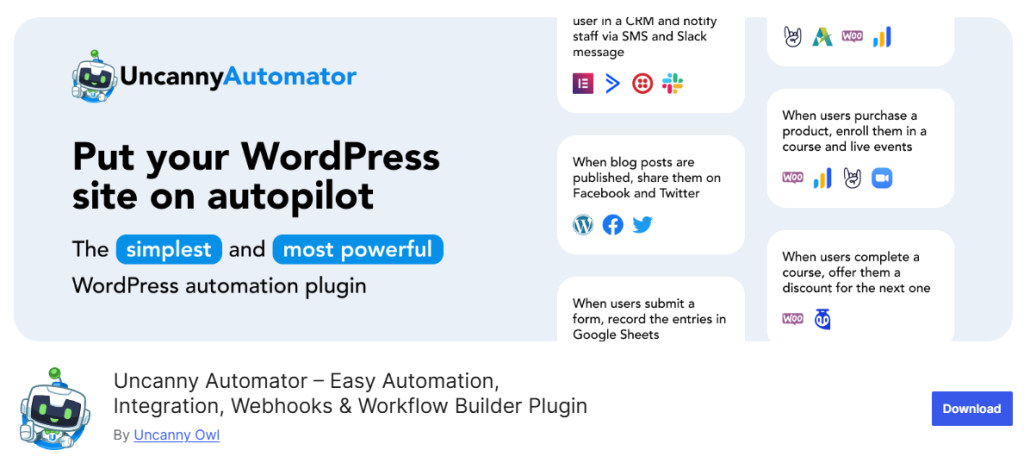
With Uncanny Automator, you can automate your WordPress site by integrating with 220+ plugins and apps. It is a no-code automator that comes with a recipe builder, using which you can create complex workflows in minutes. It also works like other automation plugins; it triggers actions when certain events happen, so repetitive tasks can run automatically without manual work. Also, setting up recipes is intuitive, and it saves hours by handling repetitive tasks effectively.
Key Features
- No‑code workflow builder to automate site tasks in minutes.
- Connects with 220+ WordPress plugins, social media apps, and external apps.
- Support delays and scheduling actions to create course trials and reminders.
- Conditional actions (run workflows only when criteria are met). For example, run the action when a user’s email address matches a certain domain or the user has a certain WordPress role.
- Webhook support for sending/receiving data from other services.
- Developer-friendly, they can run any WP hook or custom function in recipes.
Uncanny Automator Pricing Analysis
| Plan | Annual Pricing | Sites |
|---|---|---|
| Basic | $149/year | 1 sites |
| Plus | $249/year | 10 sites |
| Elite | $399/year | 50 Sites |
5. WP Fusion- Marketing Automation Plugin for WordPress
WP Fusion is an all-in-one marketing automation for WordPress that keeps your WordPress user data in sync with your CRM or email marketing platform. It tags users based on behavior, controls content access with CRM‑powered rules, and helps automate marketing actions like email sequences and cart recovery.
It supports over 100 WordPress plugins and integrates deeply with major CRMs, so you can tailor user experiences, segment audiences, and trigger automation based on activities like purchases, form submissions, and course progress.
Key Features
- Bi‑directional CRM sync for real‑time user data updates.
- Apply tags based on user actions across your site.
- Automate email campaigns, cart recovery, and engagement.
- Protect content and personalize experiences using CRM tags.
- Track purchases, subscription status, and LMS progress.
- Deep integration with WooCommerce, LearnDash, and membership plugins.
- Integrates with 100+ plugins and leading CRM and marketing platforms.
WP Fusion Pricing Analysis
| Plan | Annual Pricing | Sites |
|---|---|---|
| Personal | $297/year | 1 site + Subdomains |
| Plus | $427/year | 1 site + subdomains |
| Professional | $647/year | Unlimited Sites |
WP Fusion Lifetime Pricing
| Plan | Sites |
|---|---|
| 1 site | $999 |
| 3 sites | $1999 |
Why Lifetime Plans Are More Valuable Than Yearly Subscriptions?
The question is valid. Imagine yourself in this position:
For example, the plugin you want to buy has 2 plans (yearly and Lifetime), which one would you choose? If you have to use the plugin for years, you can’t count on it. Would you renew the license every year or go for the lifetime one?
The answer is simple. If you plan to use a plugin for years, especially for business or multiple websites, a lifetime deal (LTD) is the best logical option to invest in and is easier to manage than paying every year. Instead of renewing a subscription every 12 months, you pay once and get access forever, including updates and support (as long as the deal terms promise it). This means no surprise renewal charges, no forgotten renewals, and no budgeting headaches later.
Let me show you a simple cost comparison:
Take Bit Flows pricing as an example:
- Annual Plan: $119/year
- Lifetime Plan: $189 one-time
Say, if you use it for just 5 years, in five years you have to give 5 × $119 = $357, whereas in the lifetime deal for unlimited sites, you’ll be paying $189 one‑time.
That means you save $168, and every year after that is basically free usage. The point of this scenario is to explain that, if you plan to use an automation plugin long-term, a lifetime deal turns the plugin from a recurring expense into a one-time investment. Other than that, there are many other factors to consider before choosing an affordable WordPress automation plugin. Let’s uncover them now.
How To Choose The Right WordPress Automation Plugin?
Choosing the best plugin depends on the level of automation you want in your business and, most importantly, the budget. Here are some pointers to look for:
- Budget: Before locking any plugin, try its free version first. If it satisfies you, then check their paid plans to see if they align with your budget or not. Also consider one-time licenses if you hate subscriptions (Bit Flows, Bit Integrations offer lifetime deals).
- Required Integrations: List the plugins, apps, and tools you want to connect. If you need broad platform integrations (social media, external APIs), a plugin with 300+ integrations like Bit Integrations or Uncanny Automator will help. For deep eCommerce, AI-powered workflows, ensure the plugin supports those (like Bit Flows).
- Ease of Use: Beginners may prefer simple interfaces. Bit Flows are known for intuitive UIs. If you’re comfortable with a more technical setup, AutomatorWP offers raw flexibility.
- Scalability: Think long-term. If you run multiple sites or expect high volume, pick a solution with unlimited tasks or multi-site support. For example, Bit Flows and Bit Integrations include unlimited workflows, and AutomatorWP’s elite plans support unlimited sites.
- Featured Capabilities: Decide if you need special features like AI-driven logic or CRM tagging. For AI and advanced routing, Bit Flows has unique “AI Agent” workflow options.
- User Reviews: Check on what users are saying about the plugin on WordPress.org. Reviews reflect real user experiences and can reveal how reliable the plugin is.
To Sum Up!
Automating WordPress tasks can save you hours of tedious work and even replace costly external tools. For WordPress beginners and small businesses, the key is to pick an automation plugin that fits your budget and needs. The plugins above all offer free trials or versions, so you can test them risk-free. Imagine logging into your site and seeing orders, signups, and leads flow into all the right places automatically. That’s the power of workflow automation. Start small (maybe automate one routine task today) and you’ll quickly see how much time and money these plugins can save.
With the right tool, the “work” in WordPress can become a lot less work!
About the Author: Muskaan Sabarwal